Domain configuration (allowed domains)
Add your storefront domain to the CORS whitelist so embeds, SDK calls, and checkouts work from your own site.
Written By Tobias Lønnerød Madsen
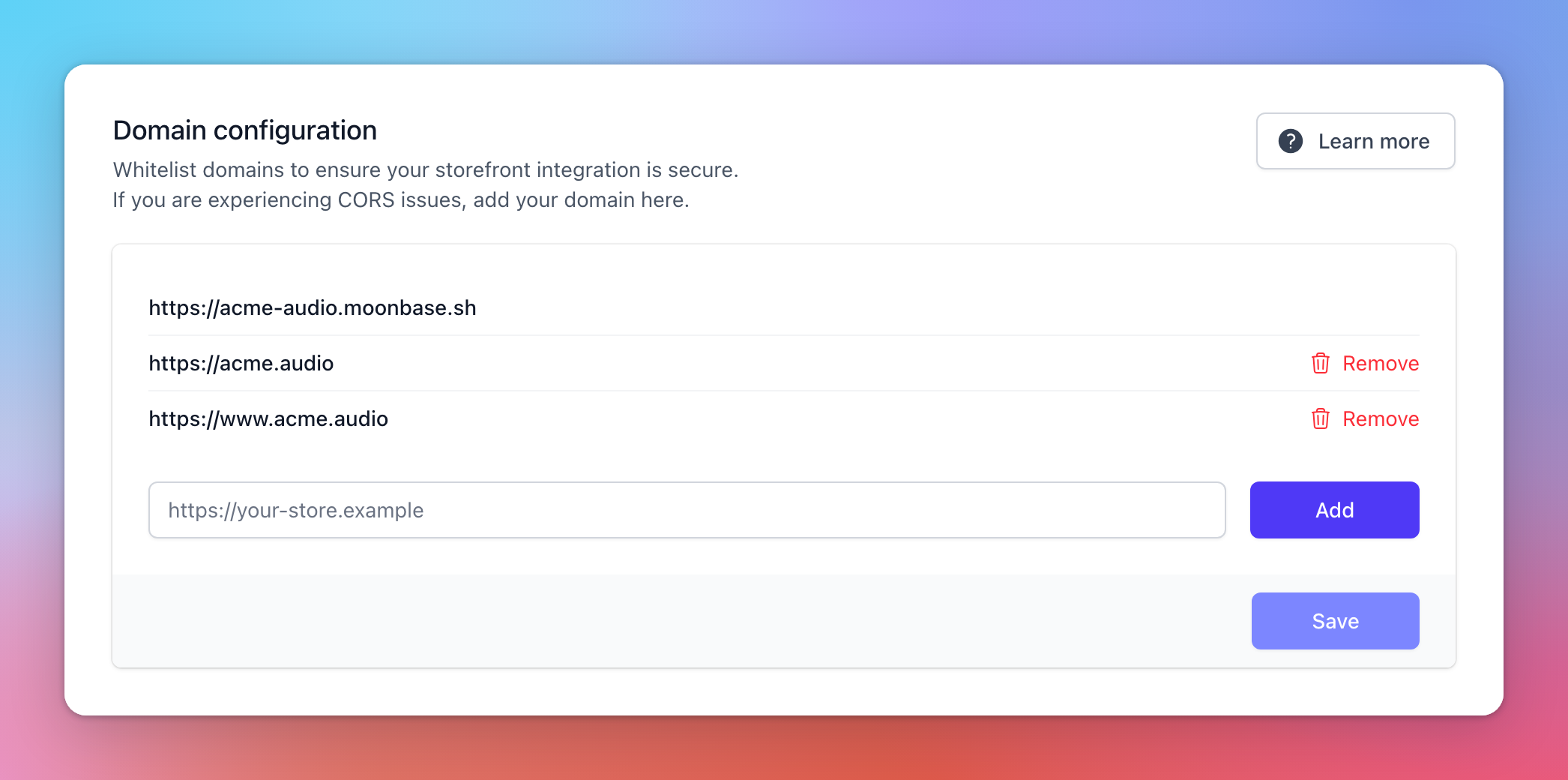
Domain configuration (Account settings > Storefront) is the list of websites allowed to call the Moonbase API for your account from a browser. If your storefront is on your own website (using the Embedded Widget or a Custom integration), that website's domain must be on this list. Otherwise requests fail with a CORS error and your customers see a broken page.
This list doesn't move your customer portal to your own domain. That is Custom domain (beta) on the same tab, where it is enabled. An active custom domain is added to this list for you.
Why this exists
Browsers enforce a security feature called CORS that blocks JavaScript from one domain from calling APIs on another domain unless the API explicitly opts in. The Moonbase API uses this to make sure only sites you control can make checkout, login, or download calls against your account.
Without a domain on the whitelist, calls from your storefront to <your-account>.moonbase.sh are rejected by the browser before they even reach our servers. The most common symptom is a checkout that opens fine but fails at submit, or login forms that never complete.
Adding a domain
Type the full origin including the protocol (e.g. https://shop.example.com) into the input and click Add. Then click Save to commit the change. Updates take effect immediately.
You don't need to add subdomains separately if you only use the apex; you do need to add each subdomain you actually use: https://example.com doesn't cover https://shop.example.com. Be sure to also add the www. subdomain of your apex if you are using it.
Removing a domain
Click Remove next to a domain, then Save. Your portal's own address (<account-id>.moonbase.sh) and an active custom domain are always allowed and can't be removed. localhost is always allowed too, for local development. Saving your Website URL (Account settings > Account) adds its address to the list automatically.
Frequently Asked Questions
Can I use wildcards?
Can I use wildcards?
No, each origin must be listed explicitly. List staging, production, and any preview deployment URLs separately.
I added the domain but still get CORS errors.
I added the domain but still get CORS errors.
Double-check the protocol (http vs https) and that there is no trailing slash. The browser also caches preflight responses for a few minutes, so hard-refresh after saving.
Was this helpful?
Still need help? Ask the team