Storefront modes
Choose between the hosted Moonbase portal, an embedded widget, or a fully custom storefront — and configure the location URLs for each customer-facing flow.
Written By Tobias Lønnerød Madsen
Moonbase emails and account flows need to send customers somewhere — to log in, reset a password, manage a subscription, download & activate a product, and so on. The storefront mode you pick decides where those links go.
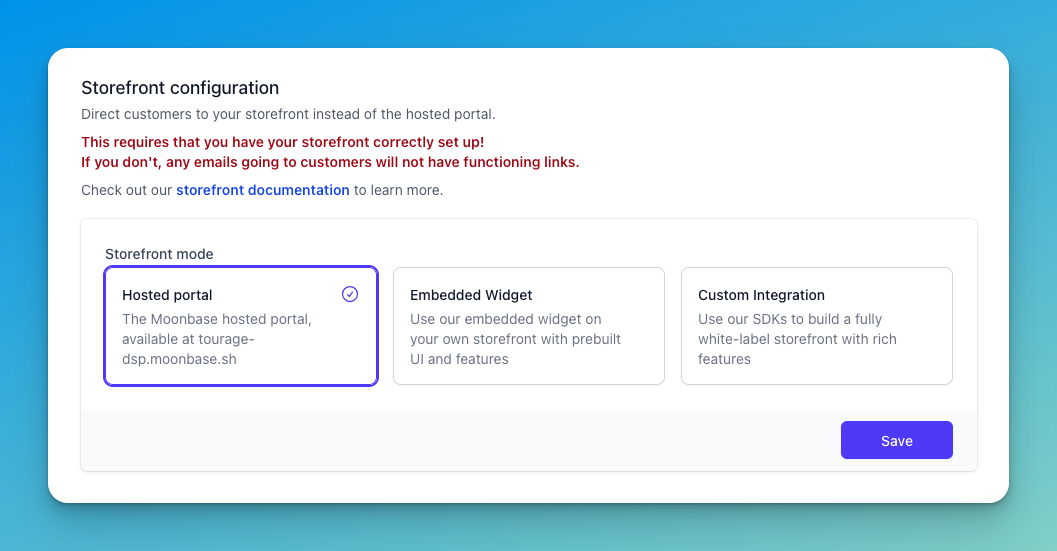
The three modes
Hosted portal — the default. Moonbase hosts a portal at
{your-account-id}.moonbase.sh. Every customer-facing link in our emails points there. Pick this if you don't want to build any storefront UI yourself.Embedded widget — you embed our prebuilt widget on your own site. Customers stay on your domain but get the prebuilt UI for sign-up, login, downloads, etc. Pick this for a faster integration than fully-custom while still living on your domain. You can learn more about this in our documentation on the Embedded Storefront.
Custom integration — you build everything yourself using our SDKs and tell Moonbase the URL for each flow. Pick this if you want a fully white-label experience.
See our storefront documentation for the technical details on building each option.
Custom integration: location URLs
When you select Custom integration, you also configure the URLs Moonbase will send customers to for each flow. Most are required:
Log in — your sign-in page.
Reset password — receives
emailandcodequery parameters; your page calls our SDK to complete the reset.Confirm account — receives
emailandcode; finishes account creation.Confirm email / Confirm email change — same parameters; verifies a new or changed email address.
Activate in browser — receives a
tokenquery parameter; the page activates the customer's product license.Activate offline device — for activation flows that don't run inside a browser session.
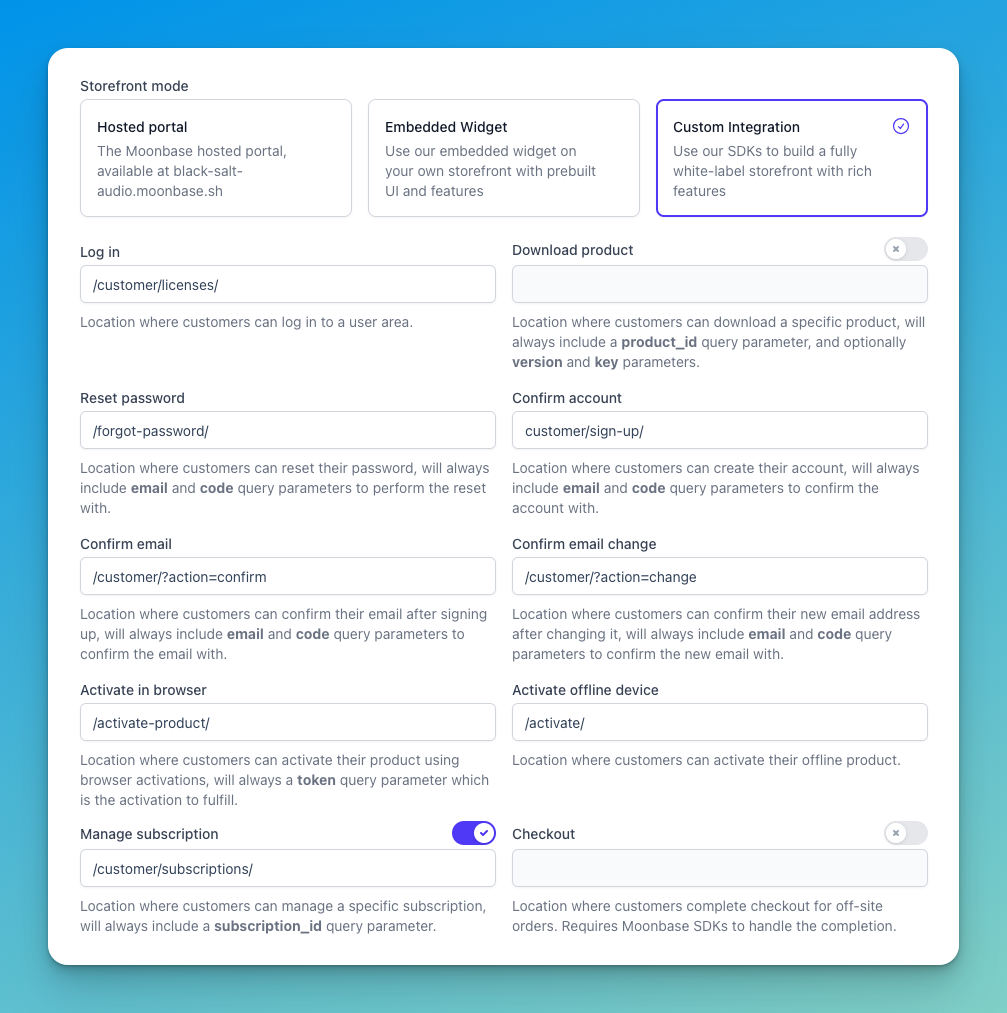
Mixing custom and hosted: Download product, Manage subscription, and Checkout
The Download product, Manage subscription, and Checkout URLs are special. Each has a toggle next to it that lets you keep using the Moonbase hosted portal for that flow even when the rest of your storefront is custom. Useful if you don't want to build the download, subscription-management, or checkout UI yourself.
When set, Download product URLs receive a product_id query parameter and optionally version and key. Manage subscription URLs receive a subscription_id query parameter. Checkout URLs are used to complete orders started off-site, and must be handled by a Moonbase SDK.
Custom domains
If you use a custom domain for your storefront, configure it on the Storefront → Domain configuration form (CORS whitelist) so embeds and SDK calls work from your domain. You can learn more about this in our article about Domain whitelist .
Frequently Asked Questions
What happens if I switch modes?
What happens if I switch modes?
All future Moonbase emails immediately use the new mode's links. Already-sent emails still point to where they were generated, so make sure the old destination still works during a transition.
What if I switch to Custom but get a URL wrong?
What if I switch to Custom but get a URL wrong?
Customers will hit a broken page when they click links in our emails. Test every flow end-to-end before switching production accounts to Custom.
Was this helpful?
Still need help? Ask the team