Changelog

Follow new updates and improvements to Moonbase.

Security Update: Two-Factor Authentication, Passkeys, Team Roles and more!
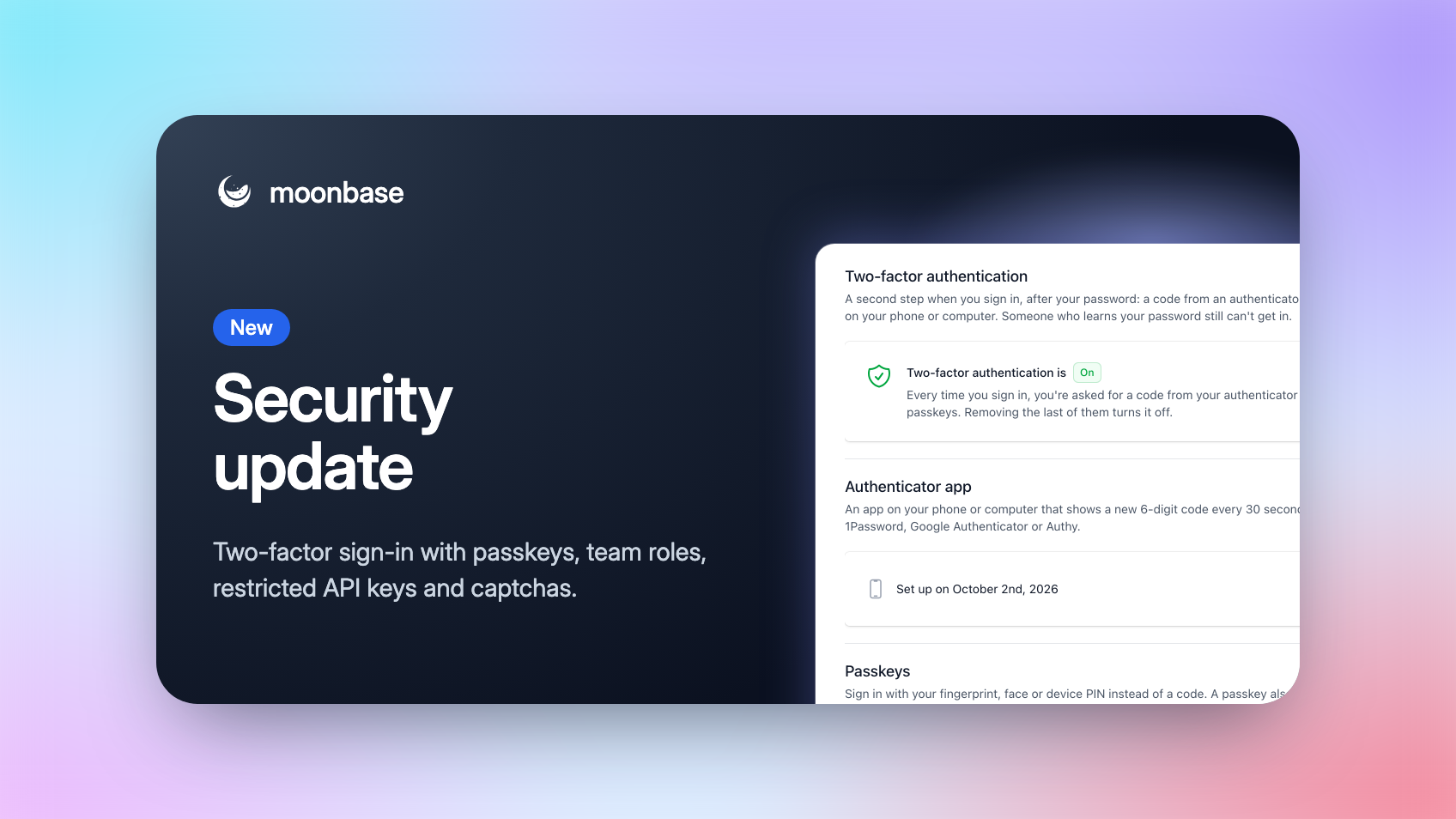
Your Moonbase account holds your revenue, your customers and the keys to your licensing, so it deserves more than a password. Today we're launching a set of security features we've been working on for a while: two-factor authentication with passkeys, roles for your team, API keys you can restrict, and a captcha for your storefront.

Nothing changes until you turn it on. You sign in exactly as before until you set up two-factor authentication, everyone already on your team keeps full access as an Admin, your existing API keys keep full access, and the captcha stays off until you switch it on.

Two-factor authentication, with passkeys

With two-factor authentication on, signing in asks for a second step after your password, so someone who learns your password still can't get in.

Open Account settings > User and you'll find it right under your password. Use either of these, or both:

  • An authenticator app: 1Password, Google Authenticator, Authy or any other app that shows a 6-digit code

  • Passkeys: sign in with your fingerprint, face or device PIN. A passkey saved in iCloud Keychain, Google Password Manager or your password manager works on all your devices

You also get ten one-time recovery codes for the day your phone goes missing. Every change asks for your password again, and we email you whenever something changes.
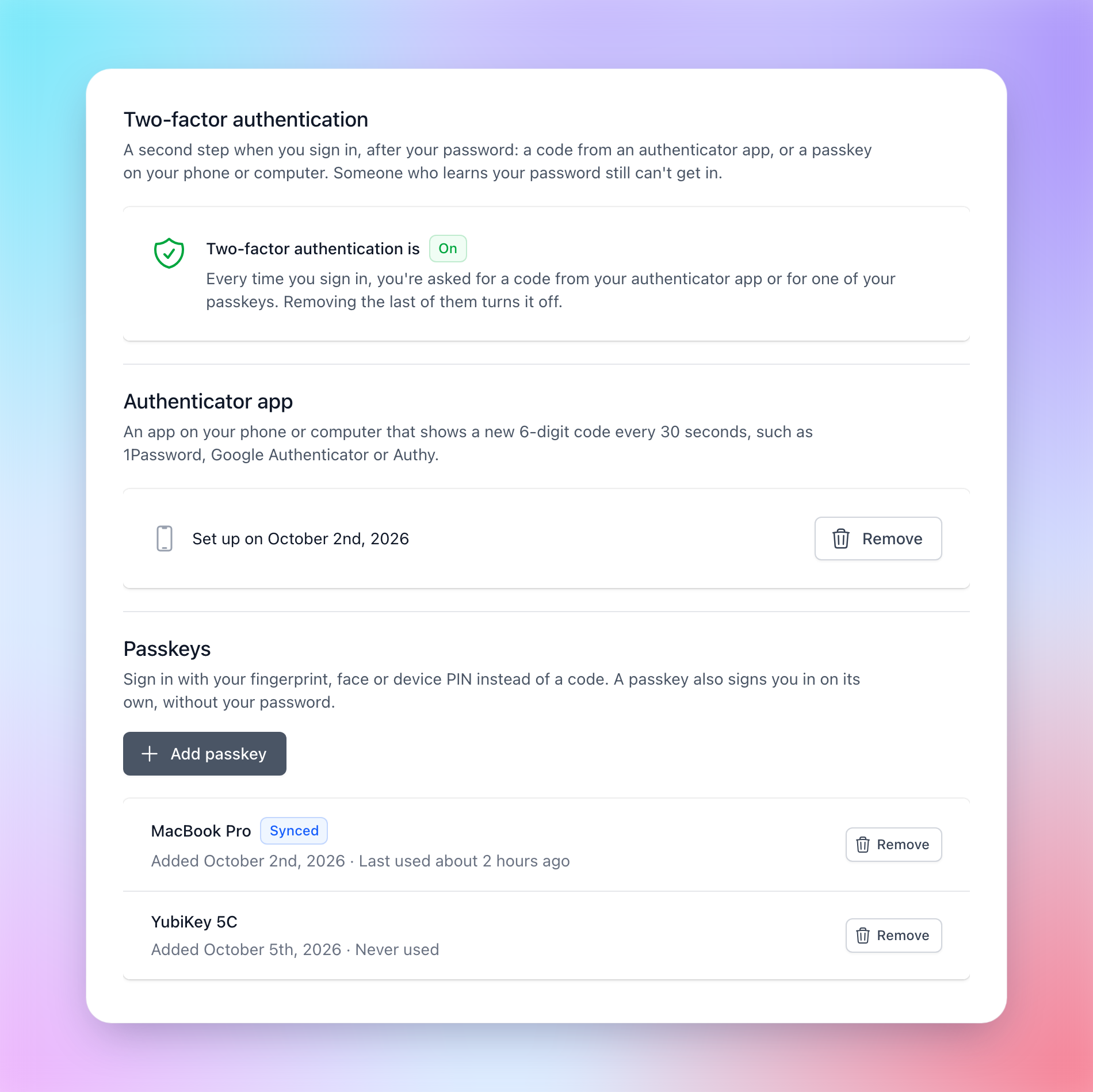
Passkeys are also the quickest way in: click into the email field on the log-in page, pick your passkey from the browser's suggestions, and you're signed in without typing an email or a password.

Anyone new, whether they're opening an account or joining your team, is offered two-factor authentication as soon as they've chosen a password, and on Account settings > Access, a green shield next to a name shows who on your team has it on.

It takes less than a minute to set up, and we strongly recommend it, especially for owners and admins!

Team roles

Until now, everyone you invited had access to everything. That made it hard to bring in a freelance developer, a marketing agency or a support hire without also handing them your payouts and API keys.

Everyone on your team now holds one or more roles, and only sees the parts of Moonbase those roles open:

  • Admin: everything, including the team, account settings and developer access

  • Finance: sales and refunds, subscriptions, payouts and the dashboard

  • Marketing: campaigns, automations, offers, promotions, coupons, vouchers, affiliates and the dashboard

  • Products: products and bundles, with their pricing, releases and licensing

  • Support: customers and their licenses and trials, sales and refunds, subscriptions

  • Developer: API keys, webhooks and integrations
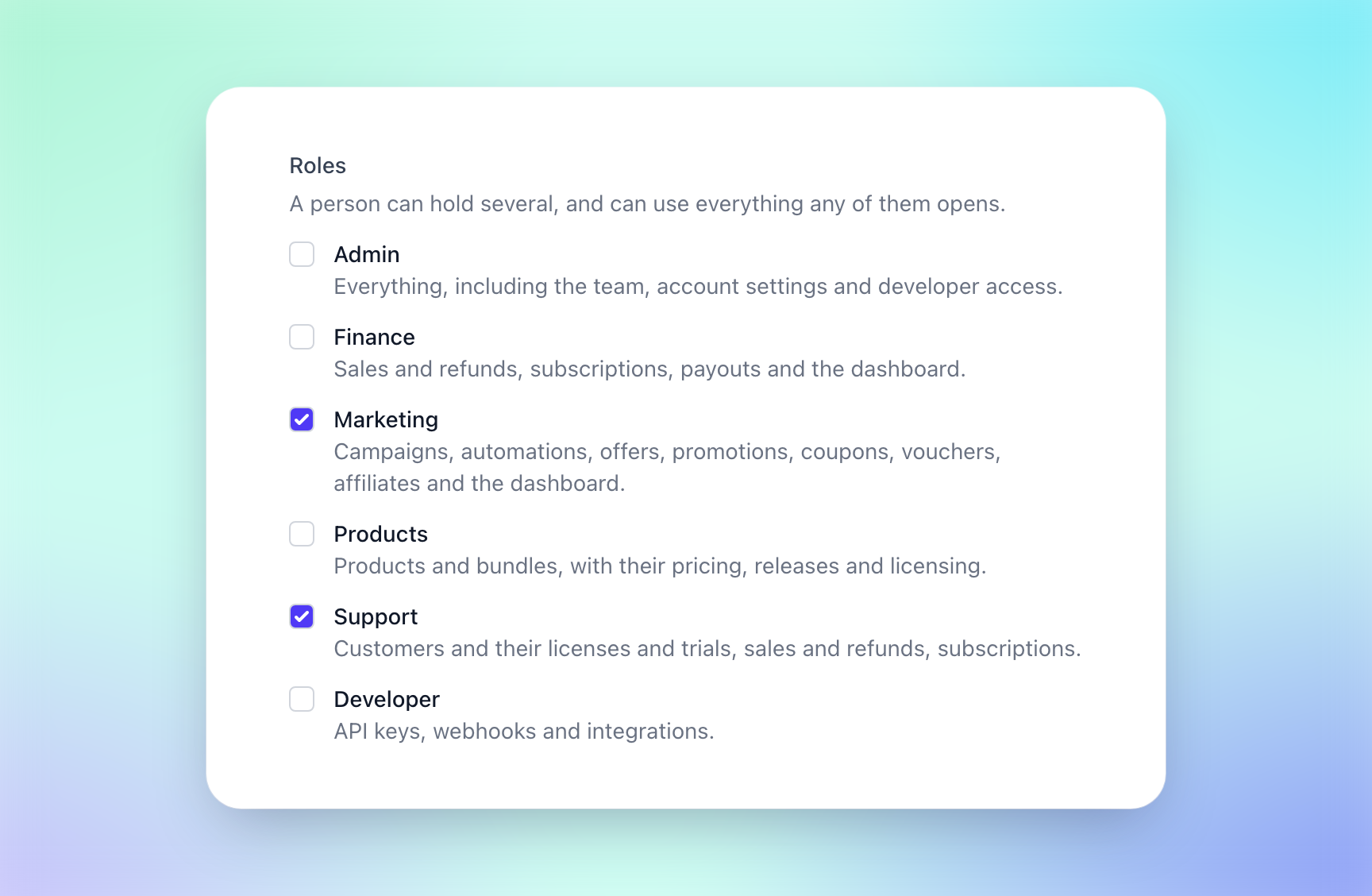
Tick the roles when you invite someone on Account settings > Access, or click Roles on their row to change them later. A change reaches them within a minute, without signing them out, and revoking someone's access now locks them out within a minute too, even if they're signed in.
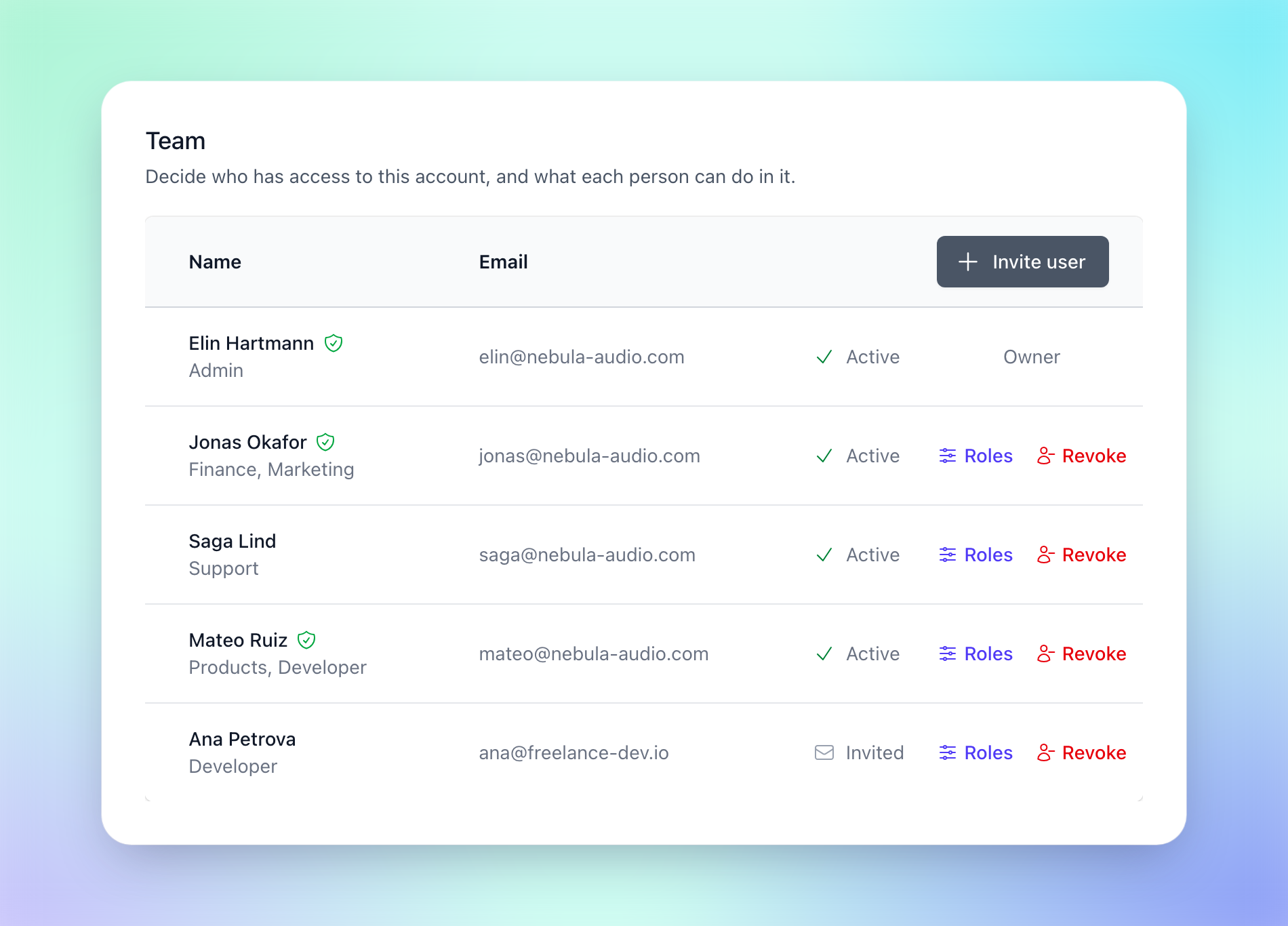
Everyone already on your team starts out as an Admin, so you decide when to narrow things down.

Restricted API keys

An API key used to be able to do everything, so a key sitting in a build pipeline or a helpdesk integration could also refund orders or revoke licenses. Now you choose what each key can do.

When you create a key under Account settings > Developer, pick Restricted and set each area of the API to None, Read or Read & write: products, customers, orders, subscriptions, licenses, activations, trials, coupons, vouchers and more. Access on a key's row changes it later, and the very next request uses the new access limitations.
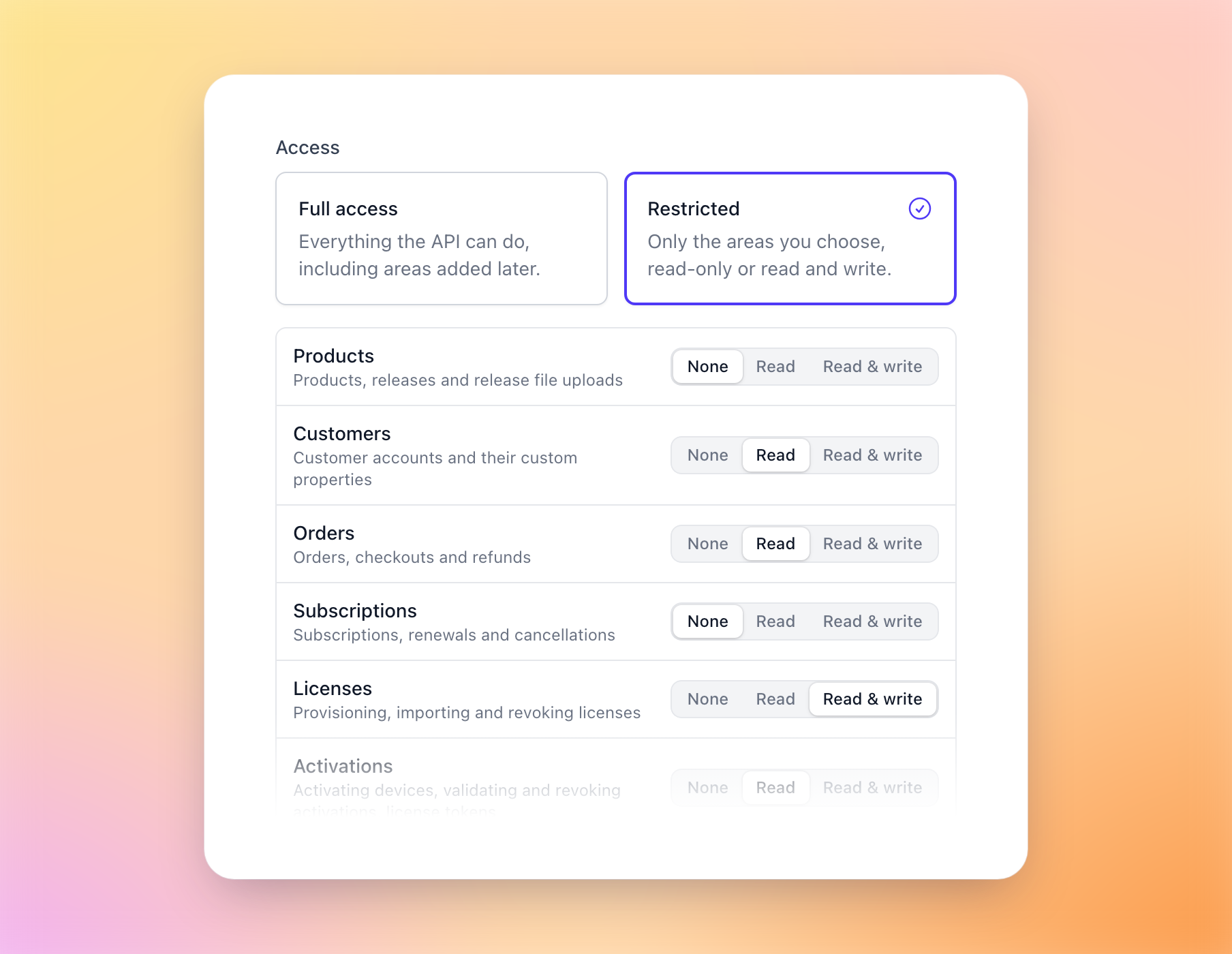
A release pipeline publishing builds with our CLI only needs Products "Read & write", and a helpdesk integration can look up customers, orders and licenses with read access alone. A request outside a key's access gets a 403 that names exactly what it's missing, so you'll know straight away what to grant.

Keys you already have keep full access, and so does any key you create with "Full access", including to the areas we add later.

A captcha for sign-ups and free products

Free products and lead magnets are great for growing your audience, but they also attract bots creating fake accounts. You can now ask customers to pass a quick bot check, powered by Cloudflare Turnstile, when they sign up or check out something that costs nothing.

Switch on Captcha under Account settings > Storefront > Features. Most of the time it checks customers on its own, and only sometimes asks for a click. Paid checkouts never show it, since the payment provider already screens those for fraud.
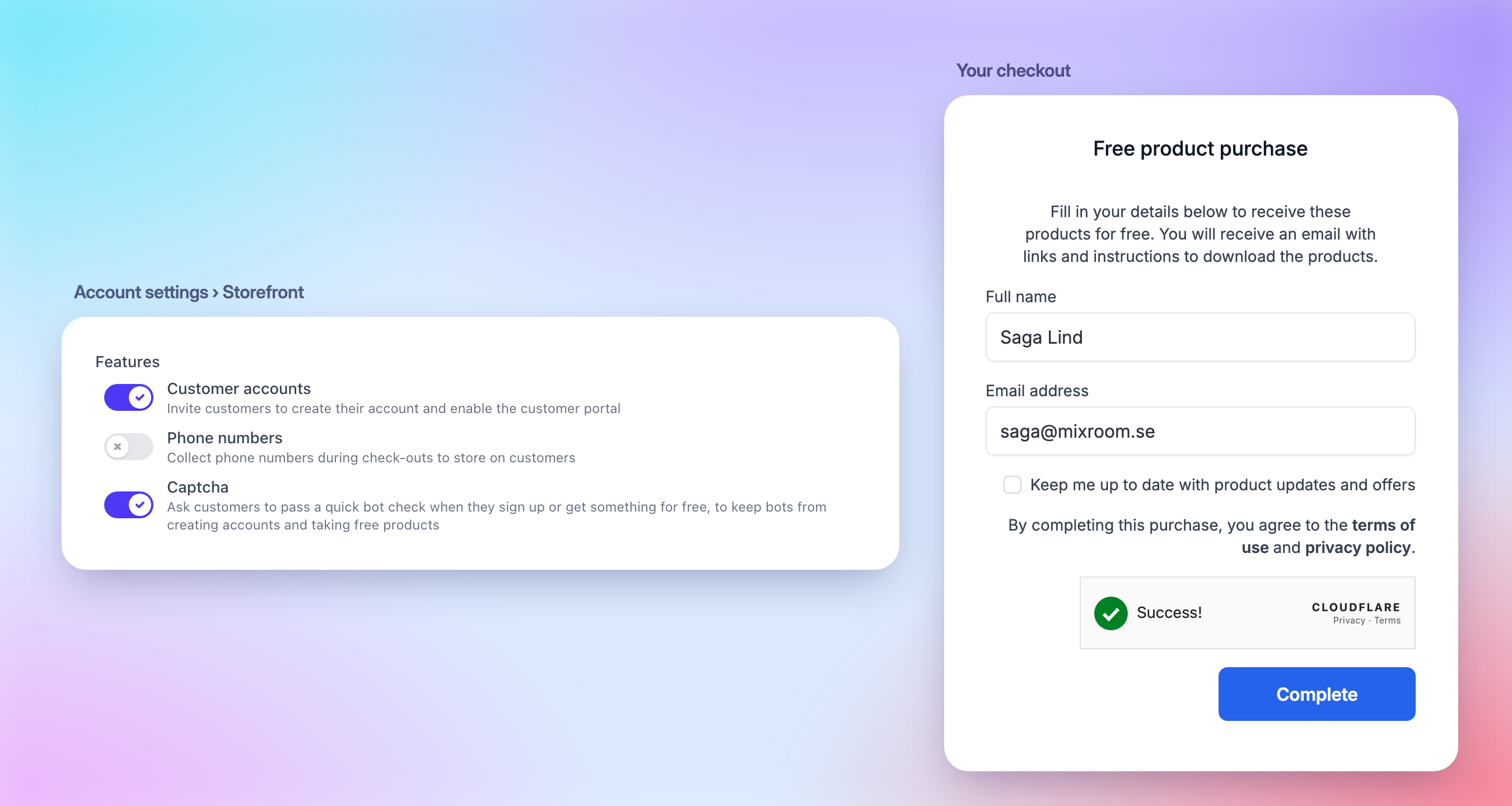
Using our SDKs, or a storefront of your own? Check these before you switch it on:

  • The storefront widget shows the captcha from version 3.9.0. The script tag always loads the latest, but if you install it from npm or pin a version, update it first, or sign-up through the widget fails while the captcha is on.

  • If your site sets a Content-Security-Policy, the captcha is drawn from your own <account-id>.moonbase.sh address, which frame-src already needs to allow for the checkout overlay.

  • Signing customers up from inside your app through our licensing SDKs can't show a captcha, so in-app sign-up stops working while it's on. Send customers to sign up in a browser instead.

  • Requests from your own server with your API key skip the captcha.


That's it for now! If there's something you'd like to see next, like requiring two-factor authentication for your whole team, let us know on our roadmap. 🔐

Enjoying Moonbase?

Then we'd love your honest review!

Sharing your experiences with the platform is a great way to support us, and inform others.

You can find us on Trustpilot. ❤️

NewImproved

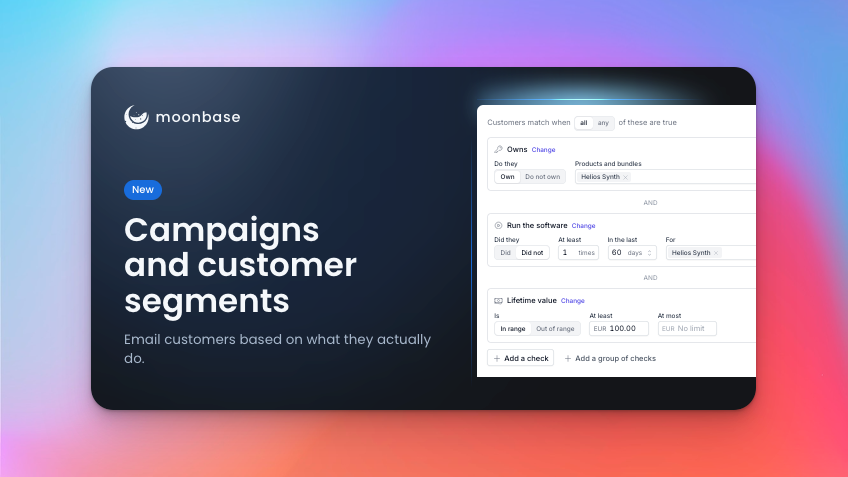
New: Email Campaigns and Customer Segments

The most requested feature on our roadmap is here: you can now email your customers straight from Moonbase, to an audience built from what they own, how they use your software and what they spend.

Tobias’ personal note: This marks the start of the next era of Moonbase. We built Moonbase to bring your whole business stack into one place, starting with licensing and e-commerce. Marketing was the missing piece: our integrations with email platforms closed as much of that gap as they could, but we’ve always wanted to do more. Campaigns, with automations on the way, is how we get there. Send emails that know who they’re going to, switch their content based on what each customer has done, and hand out licenses, coupon codes and more as they send.

We’re super thrilled to have you on this journey, and do keep the feedback coming! 🚀

To make sure you can try out email campaigns unconditionally, email usage in October is on us!

Customer segments

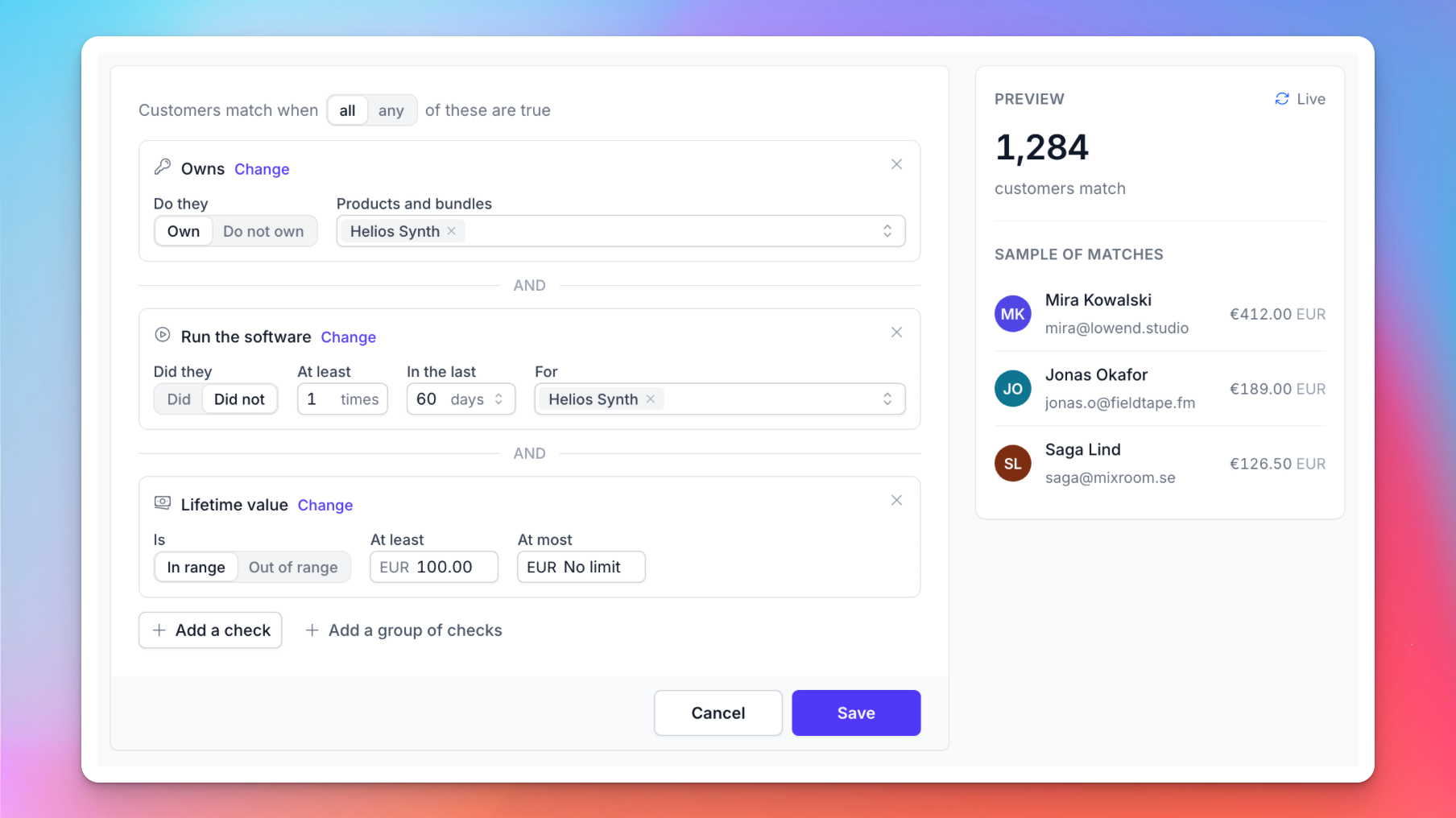
Moonbase already knows who owns what, who is on a trial, how often they open your software and how much they have spent. A segment turns that into a rule you can read, and the group keeps itself up to date.

On the Customers page, click + next to Customer Groups and choose Segment. Then add checks from four sections:

  • Behaviour and software: purchases, downloads, email opens, when they were last active and how often they ran your software

  • Spending: lifetime value, recent spend and number of purchases

  • Licenses and groups: the products and bundles they own, and the groups they are in

  • Profile: country, account state and your own custom properties

Match on all or any of them, nest groups of checks, and turn any check around ("Did not", "Not in"). Preview shows a live count of matching customers while you edit.

Prefer to pick people by hand? Create a curated list instead, and open it to sign-ups if you want customers to join it when they register, subscribe or check out. This is great for opt-in beta access or tracking which users enter via certain landing pages!

Lists and segments work anywhere Moonbase takes a customer group: exclusive discounts and promotions, downloads limited to a group, and campaign audiences.

Read all about this new feature in our article on Customer segments

Campaigns

Open Campaigns in the sidebar and click New campaign. Choose whether it's a product update or a newsletter, then pick the audience: all customers, owners of a product, trial users, subscribers, or one of your own lists and segments. You can narrow it further with the same checks segments use, and you'll see the estimated reach, and who is left out, before you write a word.

Only customers who opted in to that kind of email receive it, so your customers' consent is always respected, and we track opt-ins to newsletters and product updates separately to give subscribers more choice.

An email editor that knows your catalogue

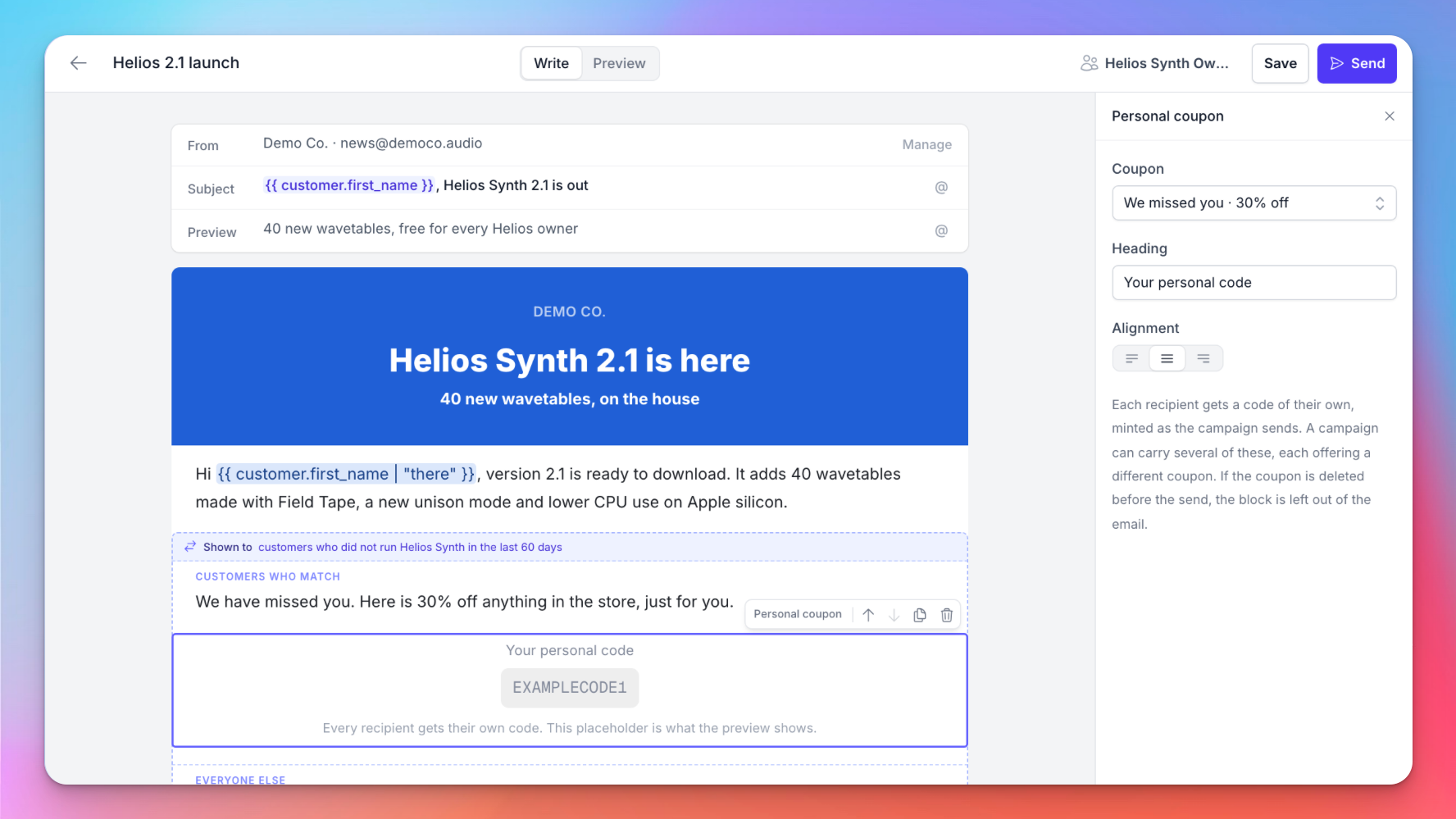
Type / to add a block, or pick one from the Blocks panel. Next to text, headings, images and buttons, there are blocks only Moonbase can fill:

  • Personal coupons and vouchers: every recipient gets a code of their own, created when the campaign sends

  • Licenses: give a product to everyone in the audience, and list it in the email

  • Product cards: straight from your catalogue including any exclusive discounts for the specific recipient applied

  • Conditional sections: show one part of the email to customers who match a rule, and another to everyone else

Type @ to add a variable like the customer's first name, with a fallback for when it's missing. Emails are drawn in your brand colour, and every one ends with your business name, postal address and an unsubscribe link.

Read more in our article on Email campaigns

Pricing

The first 1,000 campaign emails every month are free. After that, the price per 1,000 emails drops as you send more, from €2.00 down to €0.50. Receipts, license emails, password resets and other transactional emails are never charged.

Already using Klaviyo or Mailchimp?

Keep using them! Customers keep syncing to Klaviyo, Mailchimp, MailerLite, Brevo and Mailjet just like before. Use those tools for automated flows, and Campaigns for one-off sends. The new customers segments will also sync over, which means you can create the segments you need in Moonbase and do the mailing in your existing platforms!

Speaking of automated flows: Marketing Automations is the natural next step, and it's on our roadmap. If there's a flow you'd love to see, leave a comment on the post!

For the full tour, head over to moonbase.sh/campaigns.

Thank you to everyone who upvoted and commented on the request. We can't wait to see what you send!


Enjoying Moonbase?

Then we’d love your honest review!

Sharing your experiences with the platform is a great way to support us, and inform others.
You can find us on Trustpilot. ❤️
New

New & Improved: Promotions and Cart Offers

We’re excited to share two new Moonbase features with you: promotions and cart offers!

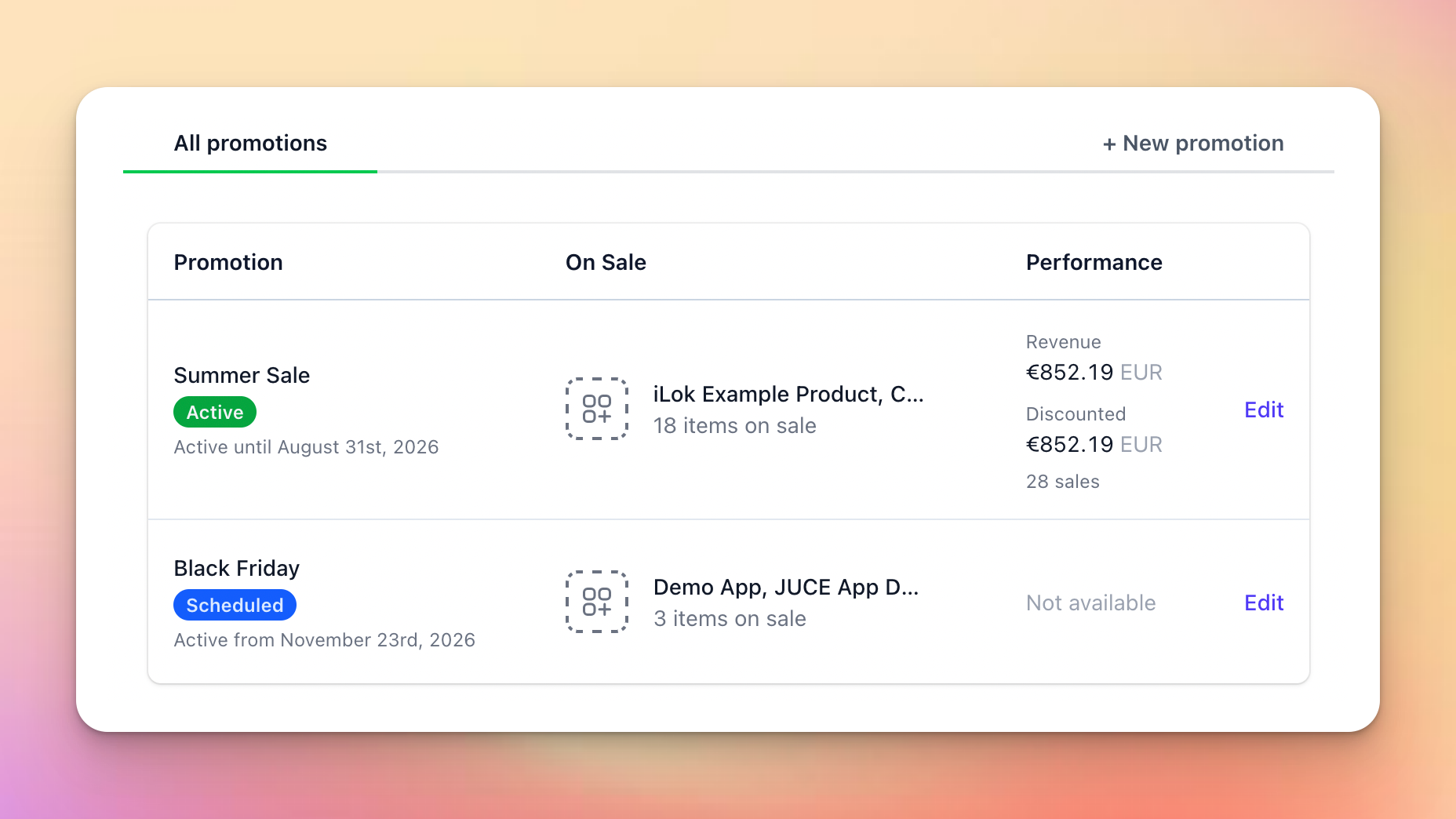
Promotions is built to handle scheduling discounts across your whole product portfolio, keeping track of the performance of that sale, and communicating it on your website.

Cart offers are an upgrade to our existing Offers feature that let you apply discounts to the whole cart, and apply offers based on cart totals.

Read on for more details!

Are you using our SDKs or APIs to build custom experiences?

Be sure to update to the latest versions to support these new features in your apps!

Promotions

As product portfolios grow, scheduling store-wide sales becomes a bigger and bigger task, since you’d have to update each product with the same discount, over and over again.

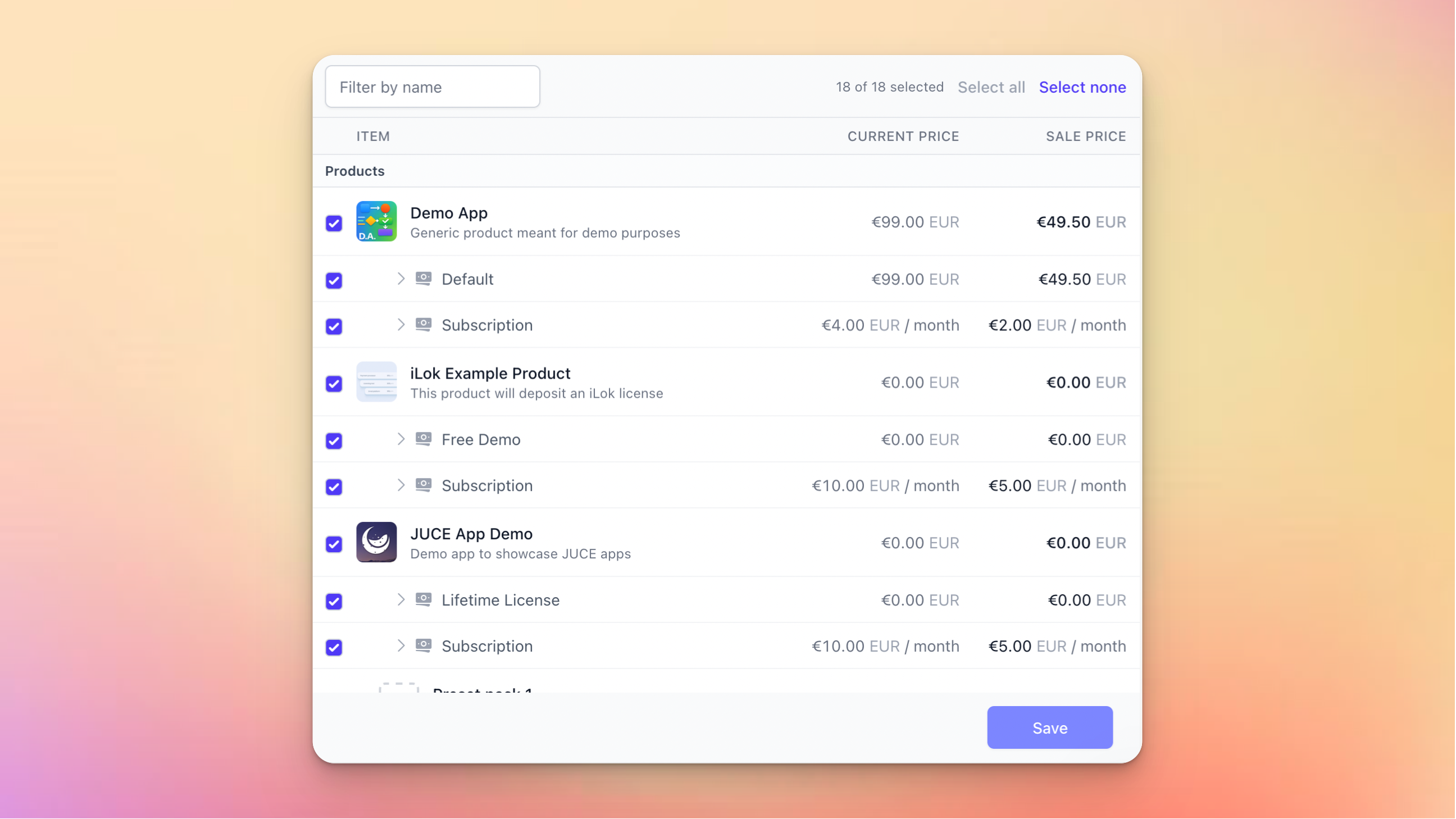
Promotions is built to solve that: configure the discount once, select the product, and schedule it to go live whenever suits you or let it run permanently:

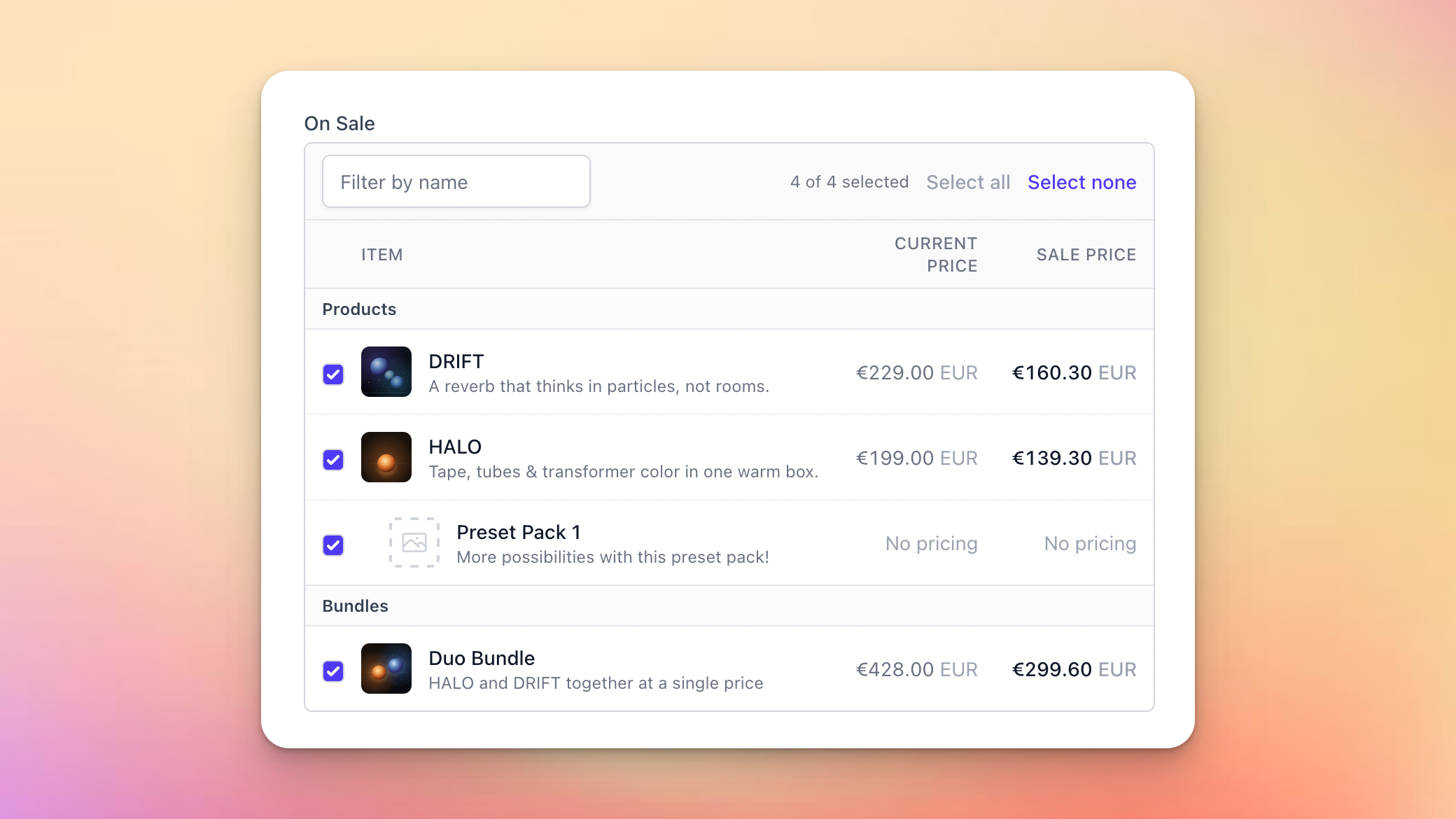
You’ll get a handy overview of which products and bundles should be affected, and how that will look for the customer in the end:

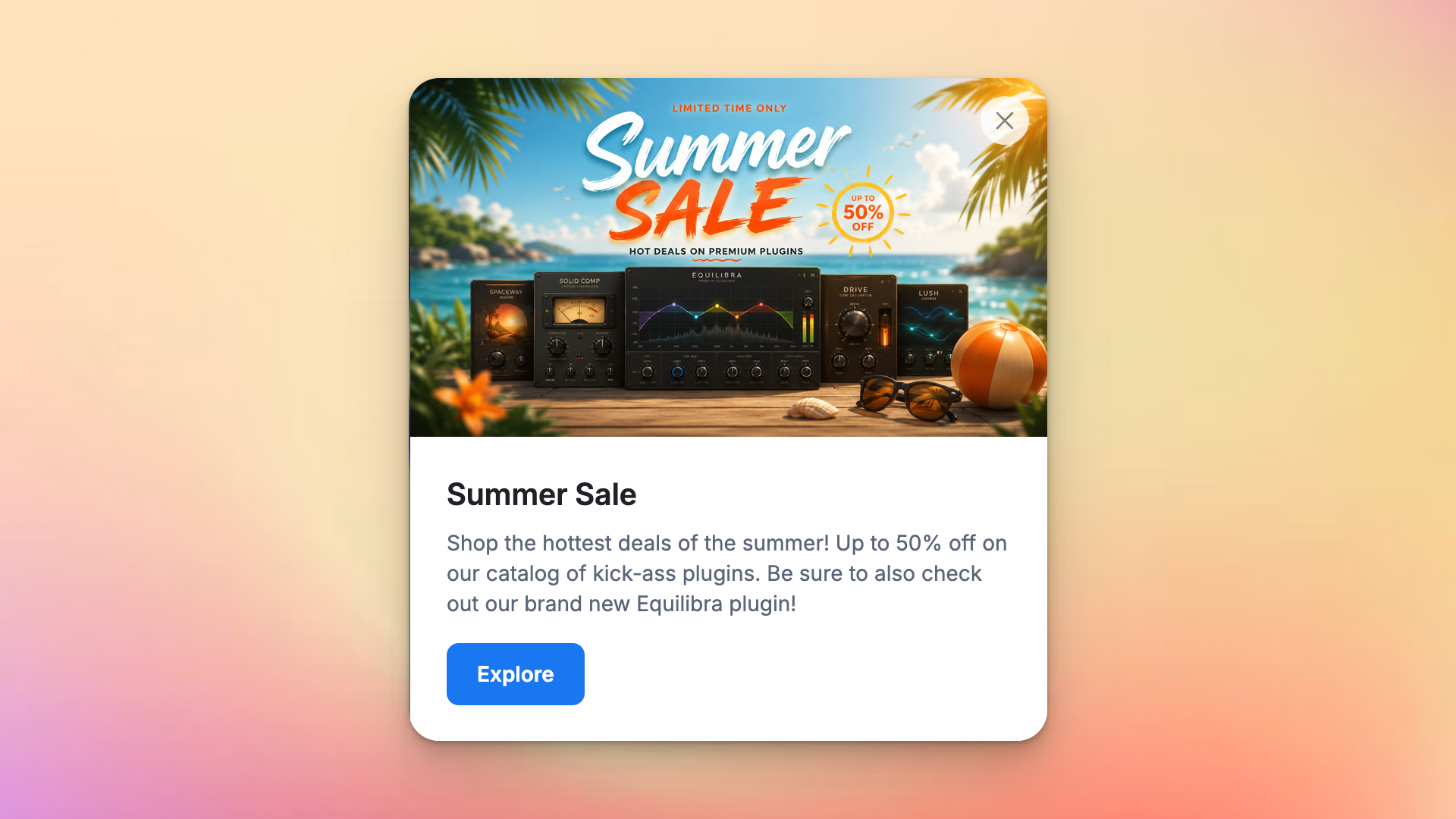
And to make it easier for you to coordinate the discount with the communication on your website, you can flag a sale for a banner or popup, which our storefront SDKs use to surface it:

These promotions support the usual Moonbase features like audience exclusivity and custom properties to let you add more data for use in your own custom integrations.

Read more in our article on Promotions !


Cart Offers

Our offers feature lets you create up-sells and cross-sells that are visible in carts during shopping, but one scenario was never really supported: discounts based on cart totals.

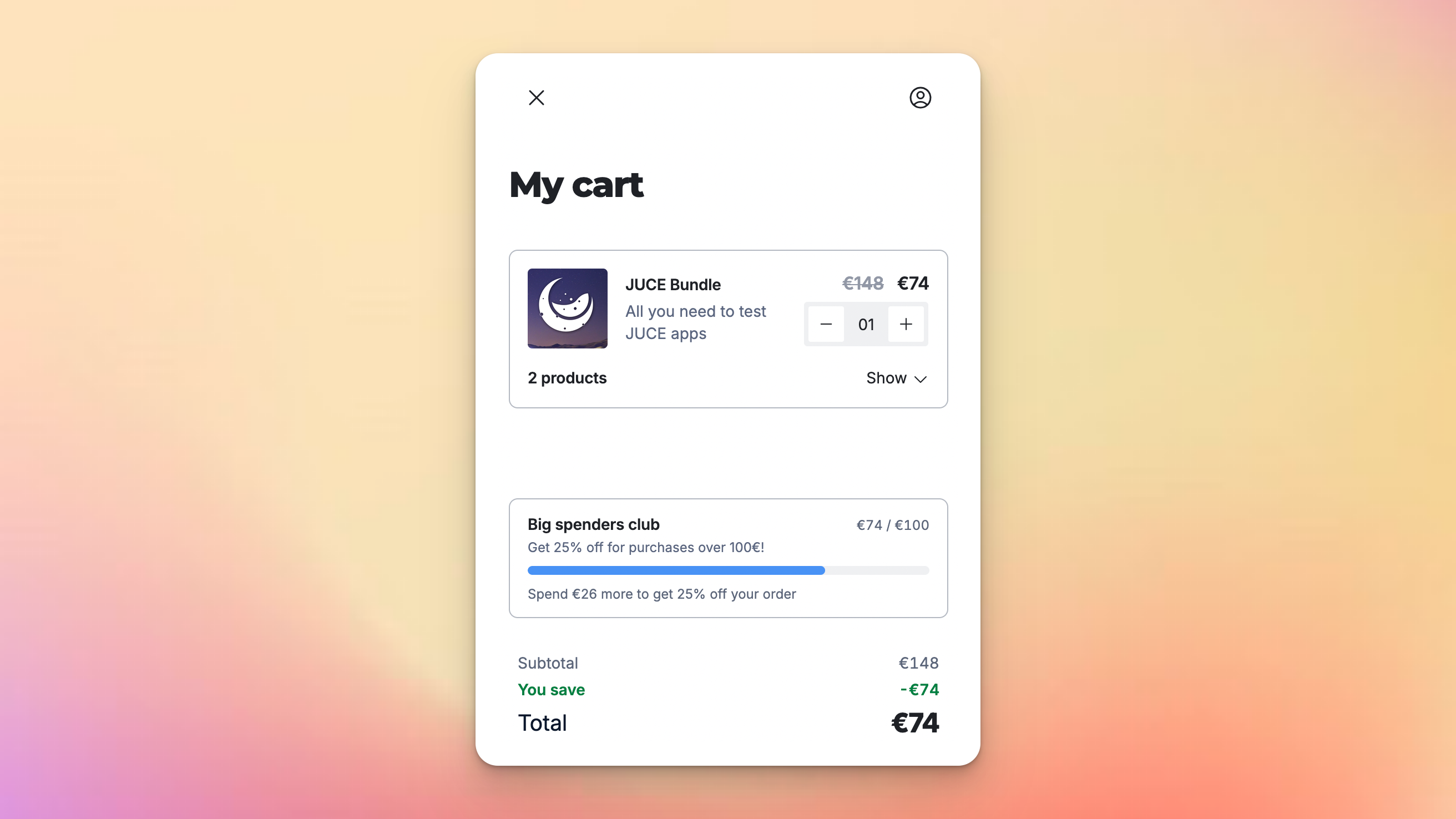
This is what we support now, both when promoting other products (“get Plugin B for free with purchases over 100€”), but also as cart discounts (“get 25% off with purchases over 100€”):

To make it clear to customers that an offer like this is unlockable, we display it as a progress bar in the cart which updates as they add items to it. Offers that give a cart discount are shown side-by-side with other offers, so customers can see both opportunities at the same time, and get the best deals out of their shopping experience.

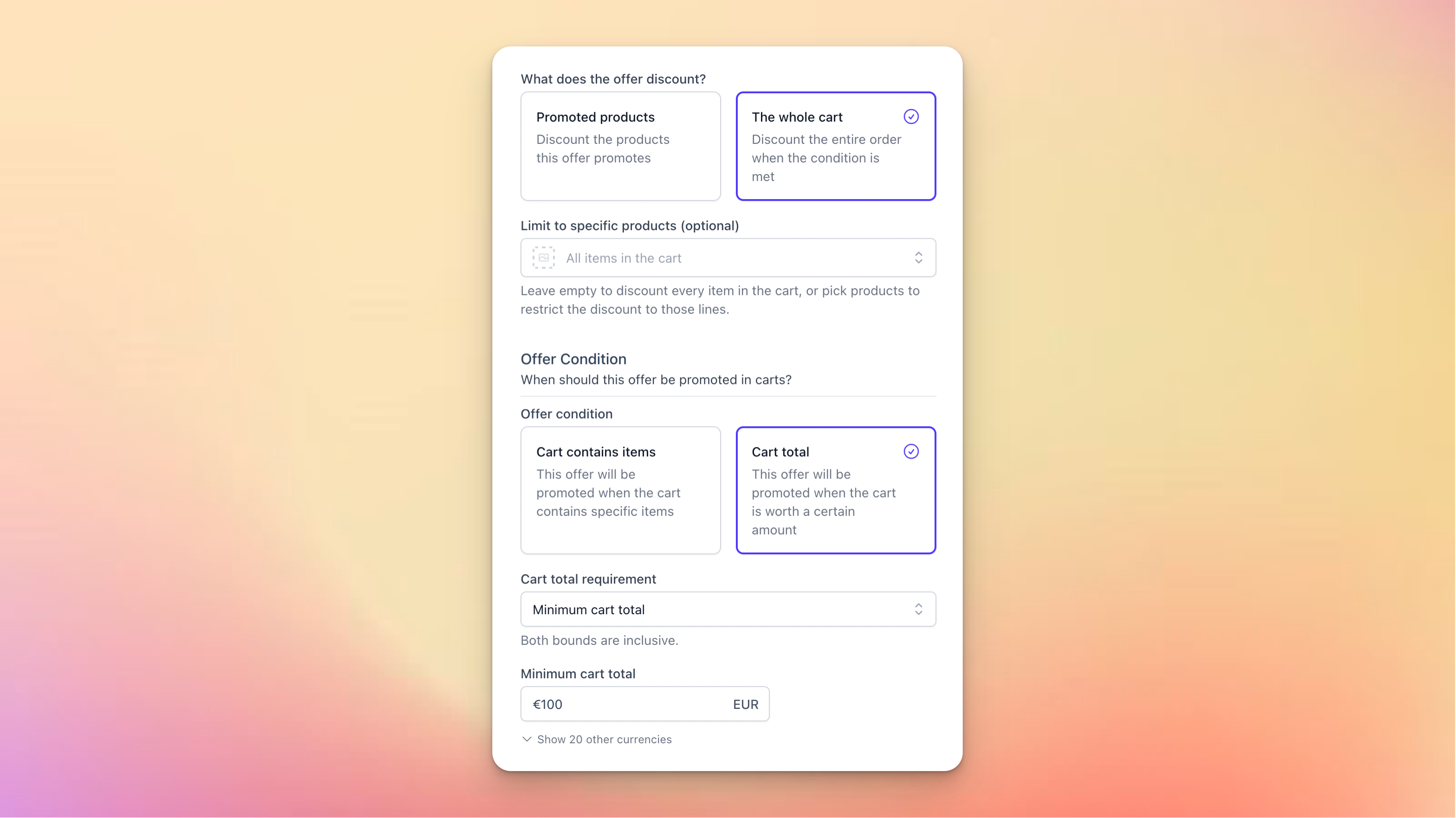
Get started today by creating a new offer, selecting a cart total condition, targeting the cart:

Read more in our article on Offers !


I know many of you are waiting on our Email Campaigns feature: hang in there!
We’re working hard, and the next product update should be about that!

NewImproved

Earlier updates