Account information
How to fill in your basic account details — what each field is used for, and which ones appear on payout invoices and customer-facing pages.
Written By Tobias Lønnerød Madsen
Your account information powers two distinct things: the details your customers see at checkout, and the details Moonbase uses on payout paperwork between you and us. This article walks through each field on the Account Settings → Account page.
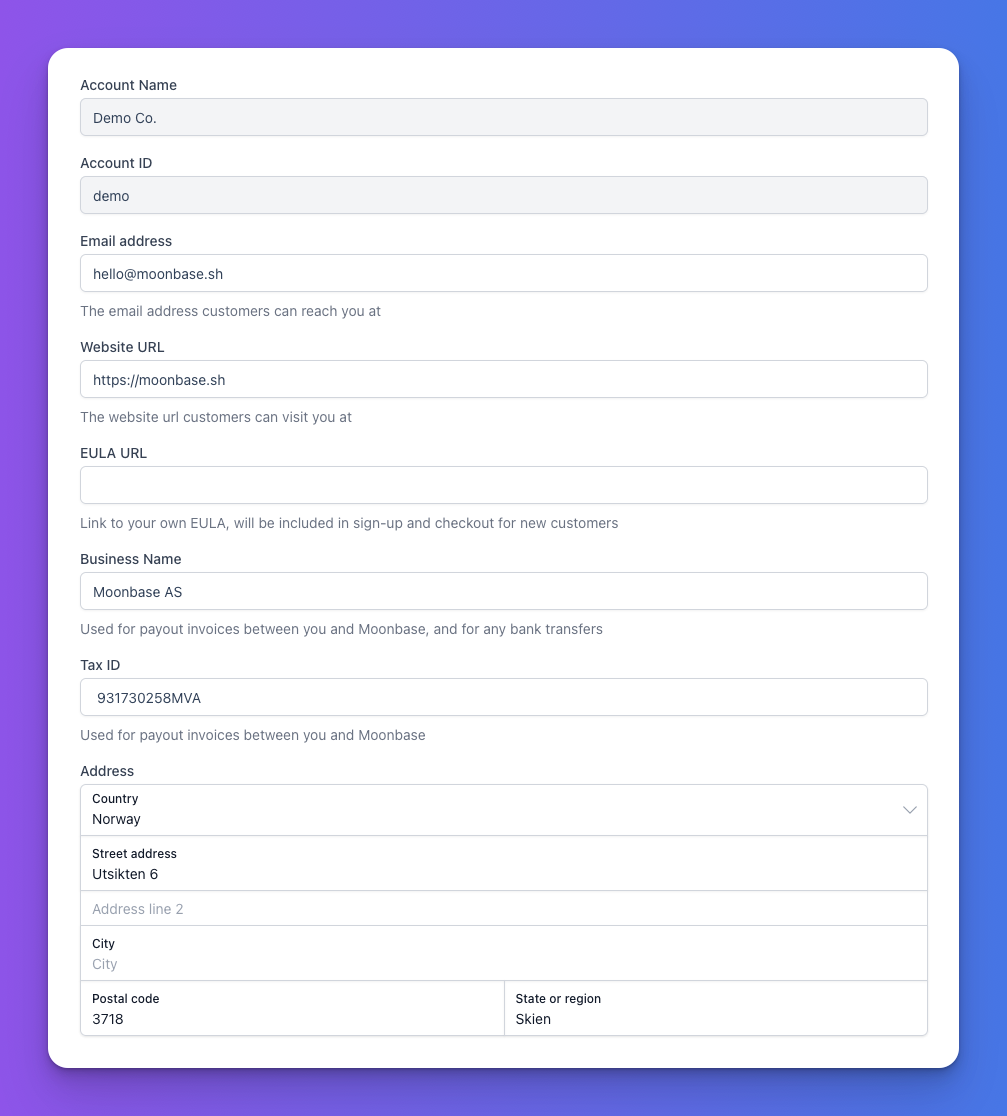
Read-only fields
Account Name and Account ID are set when your tenant is created and cannot be edited from the form. If you need to change your account name, contact support — the ID is permanent and used in API calls.
Customer-facing fields
Email address — the address customers will reach you at. It is shown in transactional emails, and used as the reply-to address.
Website URL — your public site. Used in checkouts and as a return location after some flows.
EULA URL — optional link to your own End User License Agreement. When set, it is included in sign-up and checkout for new customers, alongside the standard Moonbase terms. Leave it blank if you do not have your own EULA.
Billing and payout fields
Business Name — the legal entity name used on payout invoices between you and Moonbase, and as the recipient name for bank transfers. Make sure it matches the name on your payout bank account so transfers are not rejected.
Tax ID — included on payout invoices. The tax ID is interpreted in the context of the country in your address, so set the address country first if you change jurisdictions.
Address — your business address. Required, and the country code is also used to determine which tax ID format applies.
Frequently Asked Questions
Why do I have a separate Business Name and Account Name?
Why do I have a separate Business Name and Account Name?
Account Name is what you see in the merchant app and what your customers see in the storefront. Business Name is what appears on the legal paperwork between you and Moonbase. They are usually the same, but you can use a brand name for one and a legal entity name for the other.
Do I need to set a EULA URL?
Do I need to set a EULA URL?
No. Customers always agree to the Moonbase terms; your EULA is added on top if you want to enforce additional terms specific to your products.
Still need help? Ask the team