Subscriptions
Build stable and recurring revenue using subscriptions for your products
Written By Tobias Lønnerød Madsen
As an alternative to one-off payments, Moonbase supports subscriptions for your products with recurring payments. This is done by choosing Recurring subscription as the Recurrence of one of the Price Variations of your product or bundle:
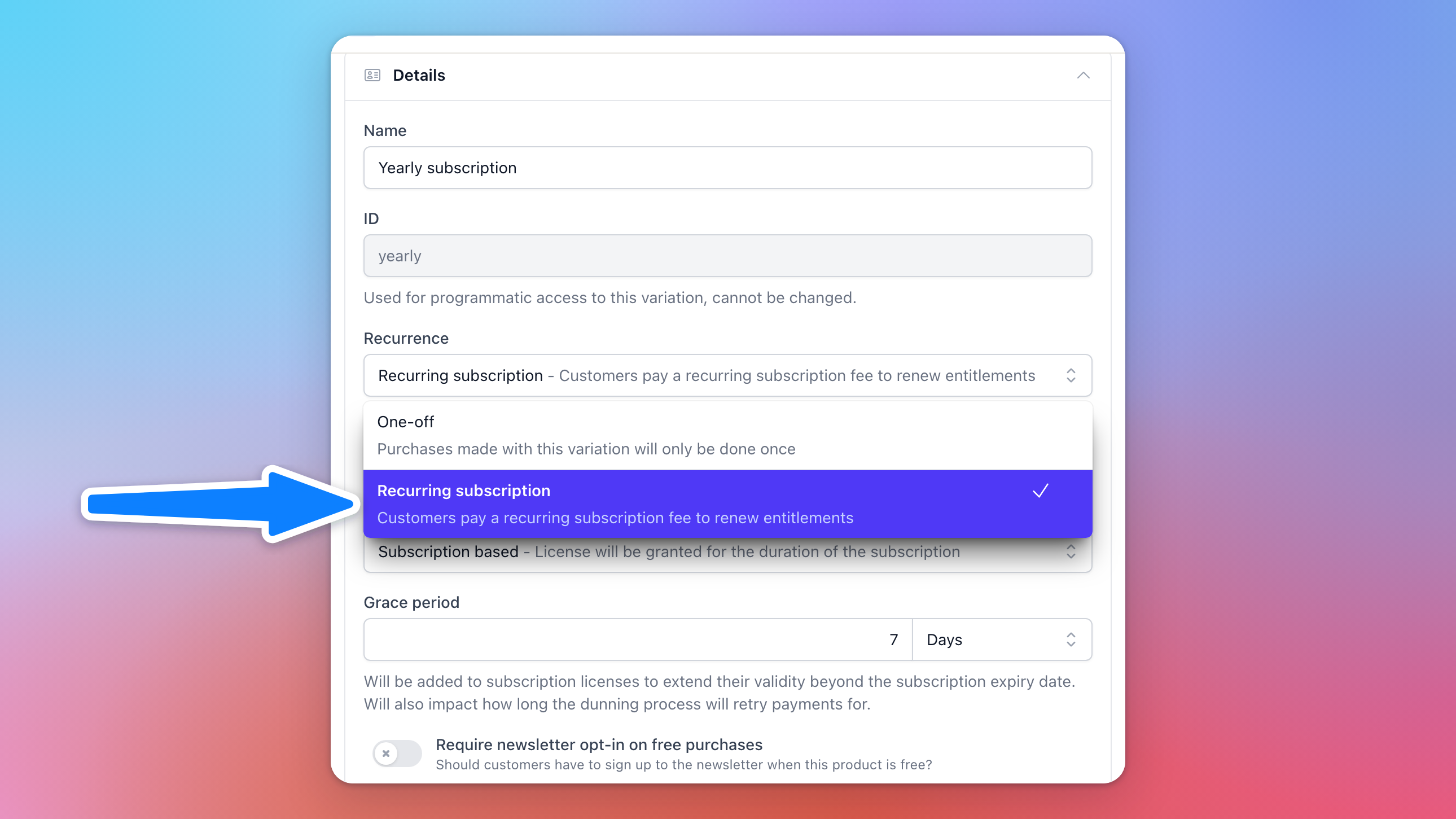
Once selected, your price variation will have a couple of new fields for you to tweak:
Cycle length: This determines the interval between each payment on subscriptions, and can be either monthly or yearly.
Grace period: How long licenses stay valid after a renewal payment fails: hours or days, 1 hour by default and at most one billing cycle. It is also how long a failed payment keeps being retried.
Renewal price: In addition to setting a price per cycle of the subscription, you may also choose to use another price for any further renewals of the subscription.
You also have the option to add milestones to subscriptions started with this variation.
Milestones
To be able to reward customers for subscribing to your products, you may set up milestones on subscriptions. Each milestone added will be granted after a certain number of payments, can issue a reward to customers, either:
Coupon code: Generate a unique code for a coupon you’ve set up and send to the customer.
Perpetual license conversion: Convert licenses on the subscription to perpetual licenses.
You also have the option to keep the milestones repeating indefinitely, so long as the subscription is active, or to end the subscription once the last milestone is reached.
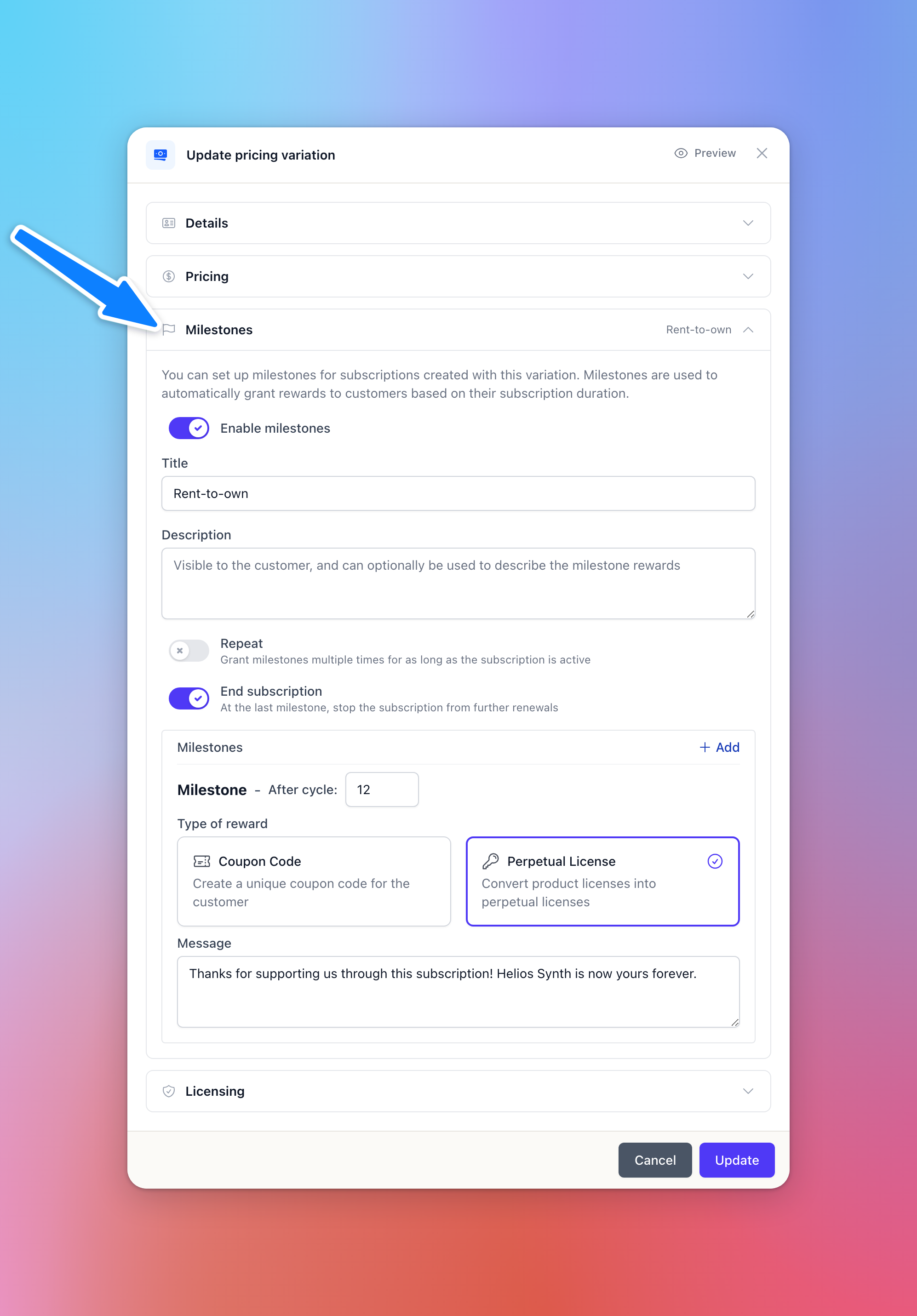
A popular use-case for milestones is to support a “Rent-to-Own” offer, where customers eventually get lifetime access to a product after having subscribed for a certain period of time. This is done by having a single milestone which converts licenses into perpetual licenses and ends the subscription. It is the default track when you enable milestones: perpetual after 12 payments. Customers will see the progress as they stay subscribed, and will be notified about any milestones granted along the way.
Bundle subscriptions
Like most of the pricing tools we have in Moonbase, subscriptions also works for selling bundles. Whenever customers start a subscription to a bundle, they receive licenses for all products within the bundle, attached to the bundle subscription itself. Like with one-off perpetual sales, partial bundle purchases also works when starting subscriptions, allowing customers to get a reduced price for a smaller bundle.
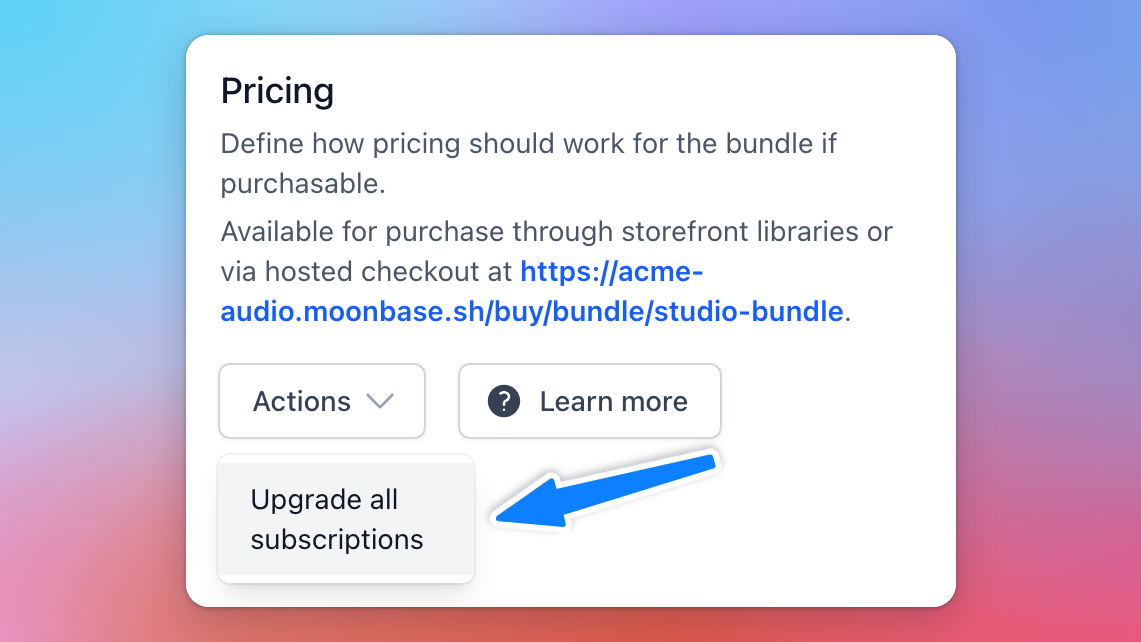
Over time you may change the bundle, and it’s important to consider existing subscribers when you do. Changing the bundle’s products or price doesn’t change existing subscriptions on its own: you move them over with a subscription upgrade. These upgrades can be performed on individual subscriptions (Upgrade on the subscription), or for all subscriptions of a bundle at once, under the bundle’s Pricing > Actions > Upgrade all subscriptions:
You choose what to change for existing subscriptions: Update content? gives them the bundle’s current products (with Remove products no longer in the bundle? on, products you took out are removed too; turn it off to only add), Update price? moves their next renewal to the current price, Update milestones? puts them on the current milestone rewards, and Update license settings? applies the current grace period and license activations to the subscriptions and their licenses:
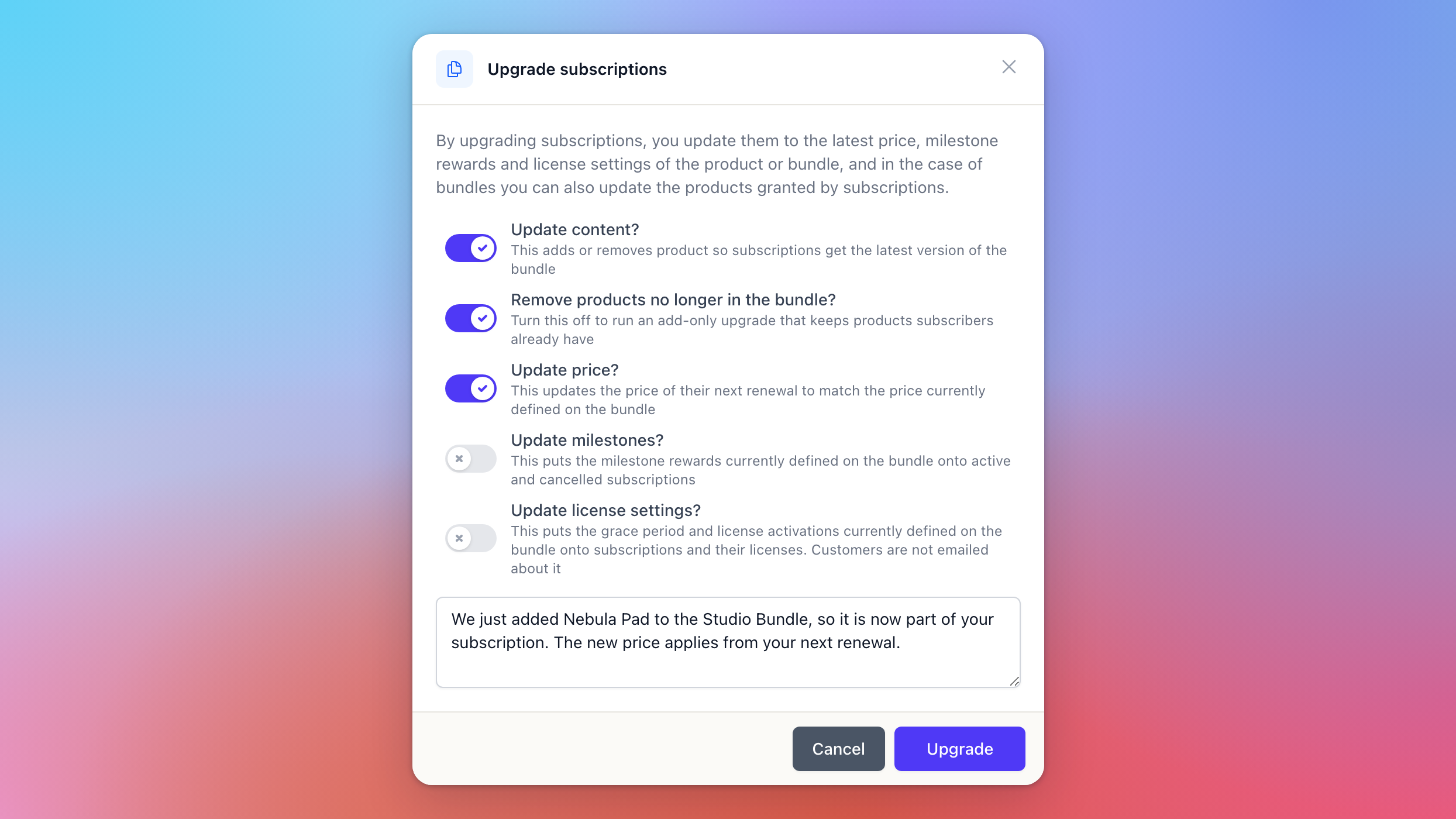
When the content, price or milestones change, customers with an active subscription are emailed the message you write. Content changes take effect straight away, and a new price from their next renewal. License settings are applied without an email.
Tips and tricks
Licensing overrides for offline activations
Licensing overrides for offline activations
One thing that subscriptions are not ideal for are offline activations through our Licensing feature. It would require customers to re-activate their product for each subscription renewal, since the product will never go online to update the activation.
Because of this, we recommend adding a licensing override for any subscriptions, disabling offline activations, but otherwise keeping a similar entitlement configuration as your normal licensing settings.
Was this helpful?
Still need help? Ask the team