Promotions
Run one sale across your whole catalog, with a single discount and a single place to end it
Written By Tobias Lønnerød Madsen
Running a sale across your catalog, and taking it down again afterwards, shouldn’t mean editing every product you sell one by one. That’s what promotions are for: one sale, one discount, and one place to end it.
Every promotion you create sits in a single list, together with how it is doing:
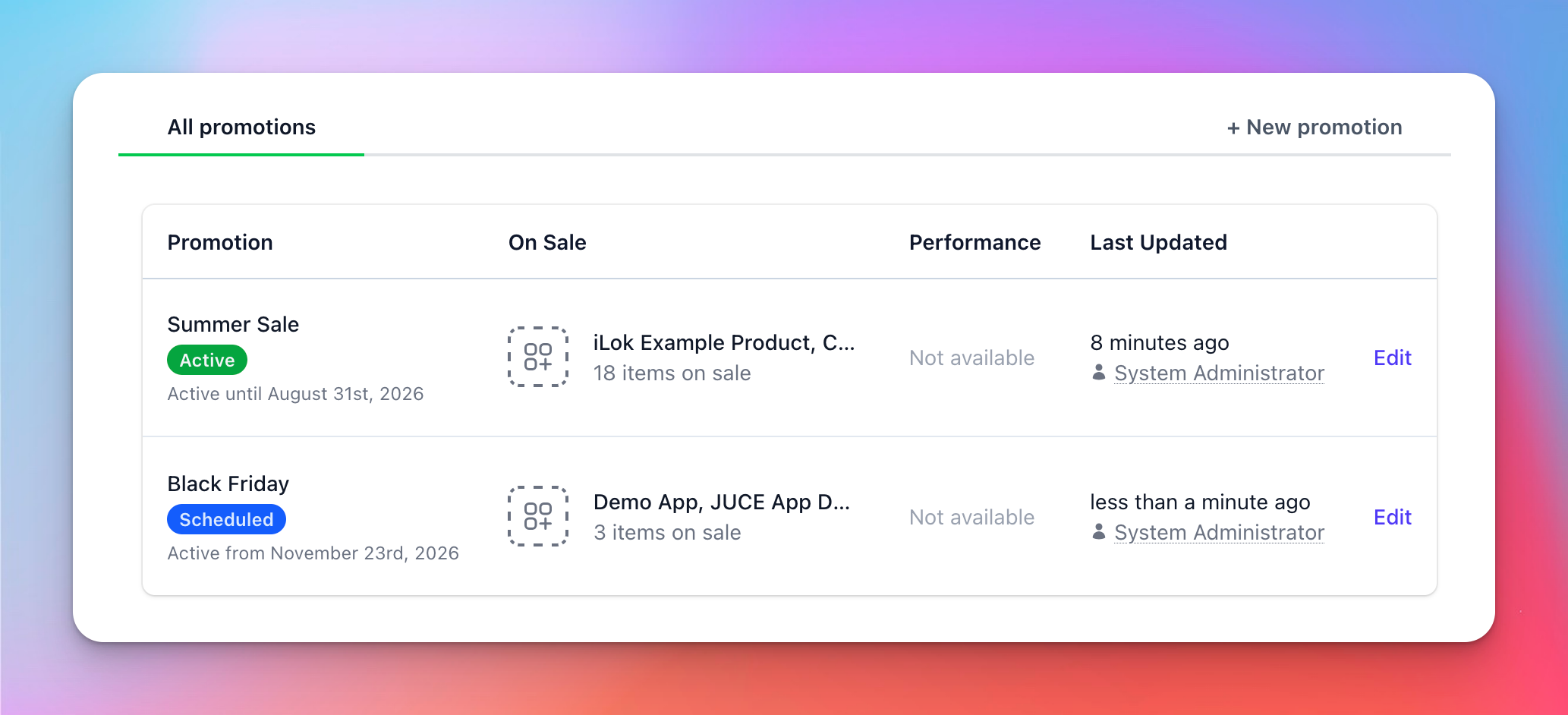
Under the hood, a promotion is a Product Discounts that we project onto every item in the sale and keep in sync for you. Everything you already know about discounts still applies: the same discount types, the same targeting options, and the same rule that only the best discount is picked. What a promotion adds is a single place to start, change, and end the whole sale.
Putting items on sale
Every promotion has at least one product or bundle on sale, and there is no upper limit on how many you add. You can put an item on sale as a whole, or narrow the sale down to specific pricing variations, which is useful when only part of your pricing should be discounted:
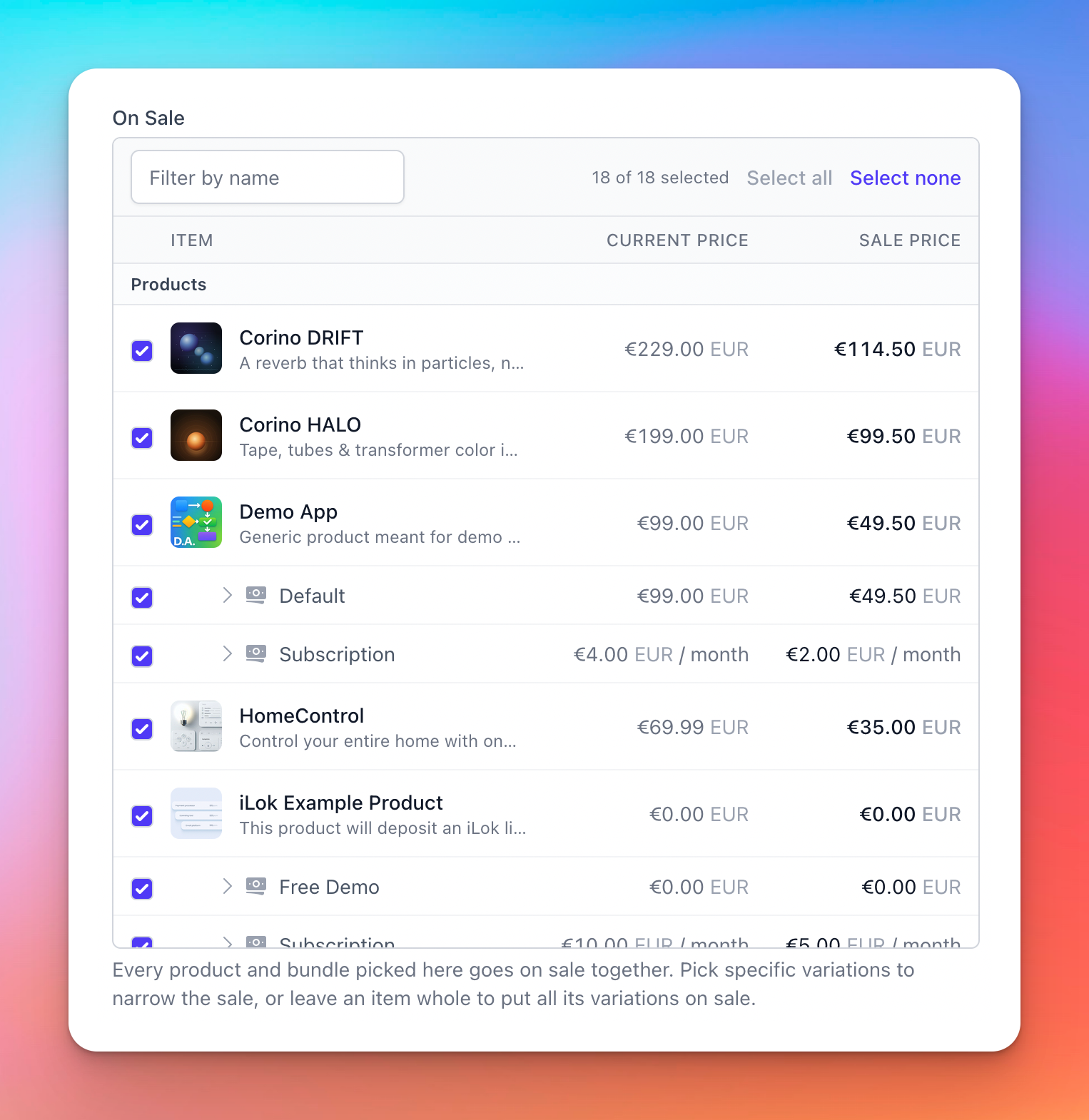
Adding an item puts it on sale right away, and removing it takes it off sale again. Discounts you configured on that product yourself are never touched, whether you add it, remove it, or delete the promotion entirely.
Configuring the discount
Like other discounts, a promotion is either a percentage off or a flat amount off per currency. The same discount applies to every item in the sale, so running a sale is one decision rather than one decision per product.
Because the promotion is applied as a product discount, it follows the rules of the rest of the pricing engine: only the best discount is picked for each item, and the result then stacks with Offers and Coupons in the usual order. An item that already carries a bigger discount of its own simply keeps that one, so a promotion never makes anything more expensive than it already was.
If the sale covers subscriptions, you can limit how many recurring payments the discount applies to. Leave the limit empty and every renewal of a subscription started during the sale keeps the discounted price.
Scheduling the sale
A promotion can run between a start and an end time, or it can run open-ended until you end it yourself. A sale that starts in the future waits until then, and a sale whose window has passed stops applying on its own, so a seasonal sale needs no attention on the day it is over.
Choosing who gets the sale
By default, a promotion applies to everyone. For a more targeted sale you can narrow the audience using the same conditions available for Product Discounts: customers who own certain products, customers who own a number of distinct products, or purchases carrying specific UTM parameters. Add more than one condition and a customer has to satisfy all of them.
Targeting a UTM segment is how you run a sale for a single advertising campaign, without the discount being generally available to everyone else.
Presenting the sale
Beyond pricing, a promotion carries the presentational side of the sale: a name and description, an optional image, and a call to action that sends shoppers wherever the sale lives on your site. You can also suggest how your storefront should surface it, as a banner across the storefront, as a popup on arrival, or both:
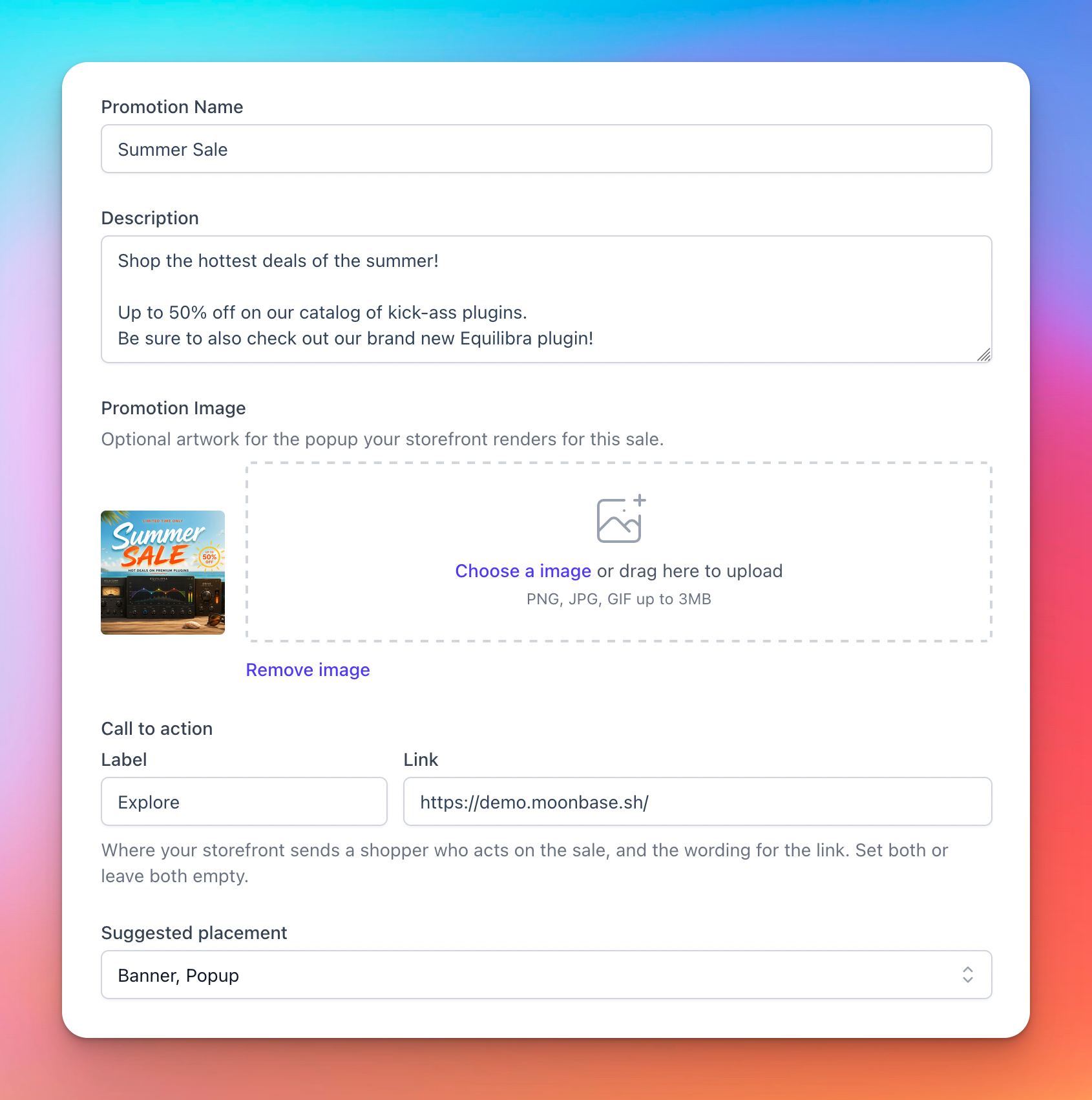
Placement is a suggestion your storefront can act on, not a pricing setting. Whichever presentation you pick, or none at all, customers get the same discounted prices.
The Moonbase Embedded Storefront will only show these promotions if you select banner, popup or both:
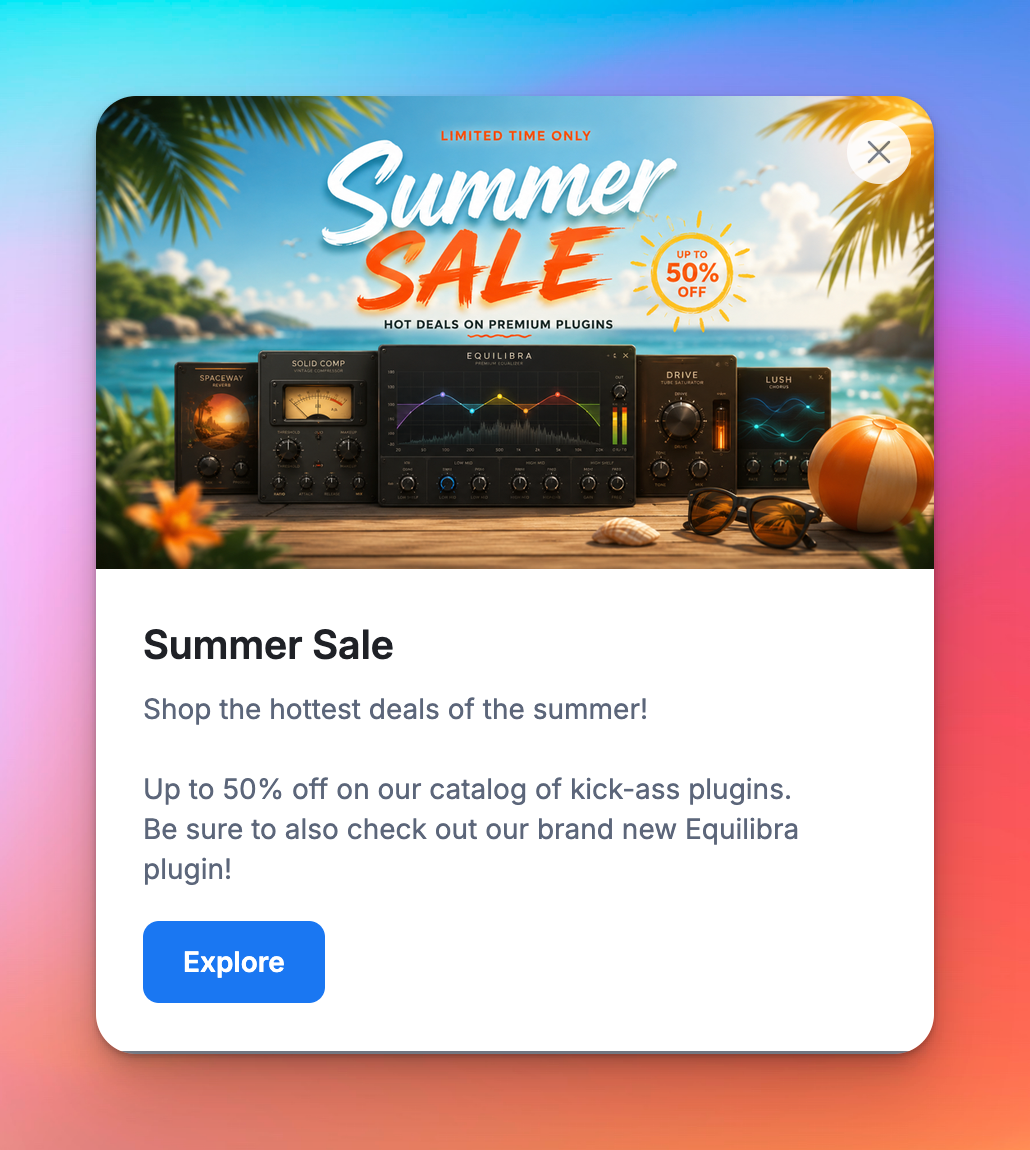
If you are using our SDKs to build your own custom website, you will have to show these in a way you see fit yourself.
How promotions show up on products
Since the sale is applied as a discount on each item, you will also find it in the discount list of the products and bundles it covers, marked as coming from a promotion:
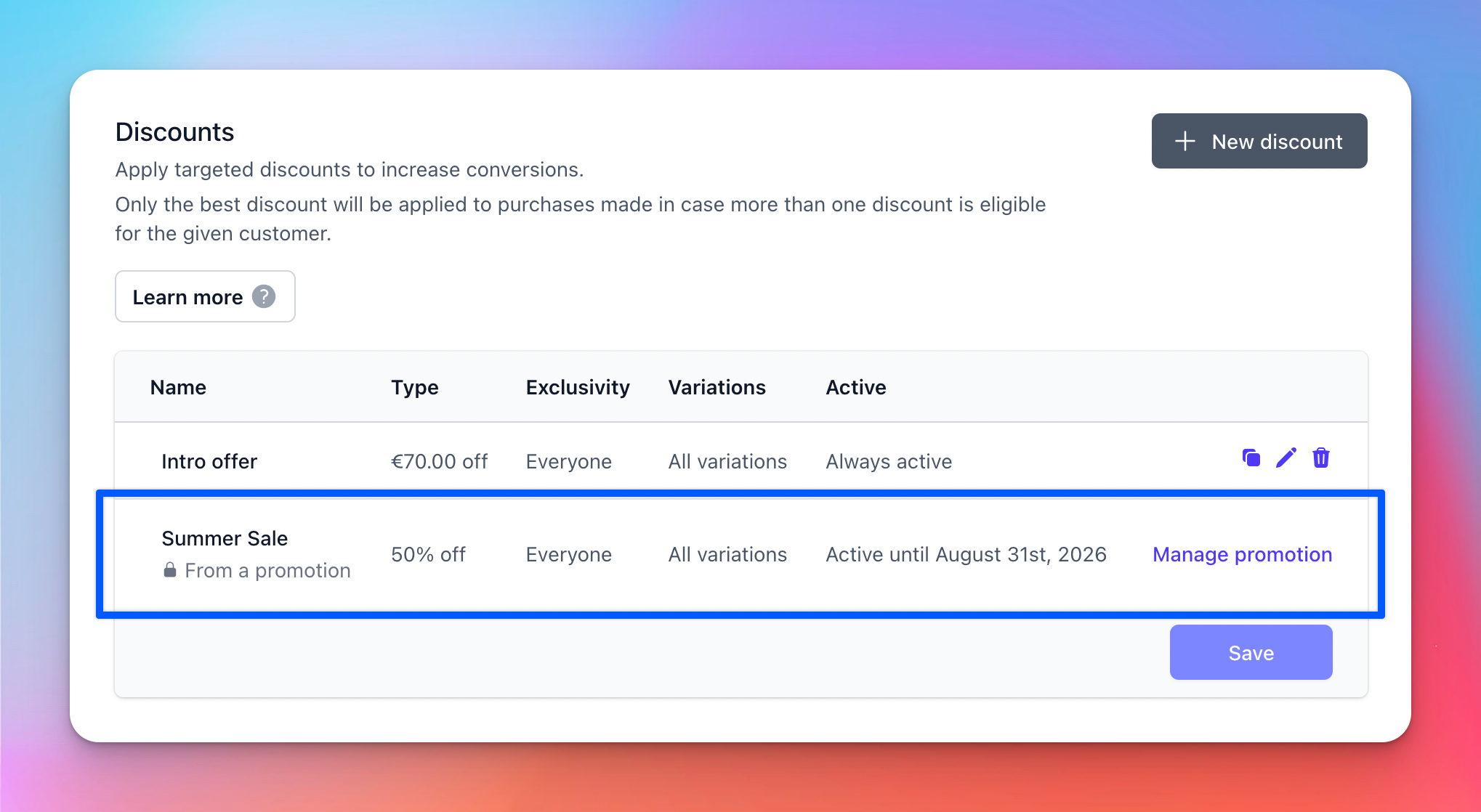
These rows are owned by the promotion and kept in sync with it, so they are edited from the promotion rather than from the product. Your own discounts on the same product stay editable as always.
Changes to a promotion are applied across your catalog in the background. With a large catalog it can take a moment before every product shows its new price on your storefront.
Ending a sale
The tidiest way to end a sale is to give it an end time up front, so it closes by itself. The promotion stays in your list afterwards, together with what it earned.
Deleting a promotion also ends the sale, and takes its discount off every product and bundle it applied to. Discounts you set up on those items yourself are kept.
How did the sale do?
For every promotion we track the revenue attributed to it, how much discount was given away, and how many sales it drove, split by payout currency. That makes it easy to compare one sale against the next, and to see what a given discount level actually bought you.
Still need help? Ask the team