Domain whitelist
Add your storefront domain to the CORS whitelist so embeds, SDK calls, and checkouts work from your own site.
Written By Tobias Lønnerød Madsen
The domain whitelist tells the Moonbase API which sites are allowed to make requests on behalf of your account from a browser. If your storefront is on your own domain (using the Embedded Widget or a Custom integration), that domain must be on this list — otherwise requests fail with a CORS error and your customers see a broken page.
Why this exists
Browsers enforce a security feature called CORS that blocks JavaScript from one domain from calling APIs on another domain unless the API explicitly opts in. The Moonbase API uses this to make sure only sites you control can make checkout, login, or download calls against your account.
Without a domain on the whitelist, calls from your storefront to <your-account>.moonbase.sh are rejected by the browser before they even reach our servers. The most common symptom is a checkout that opens fine but fails at submit, or login forms that never complete.
Adding a domain
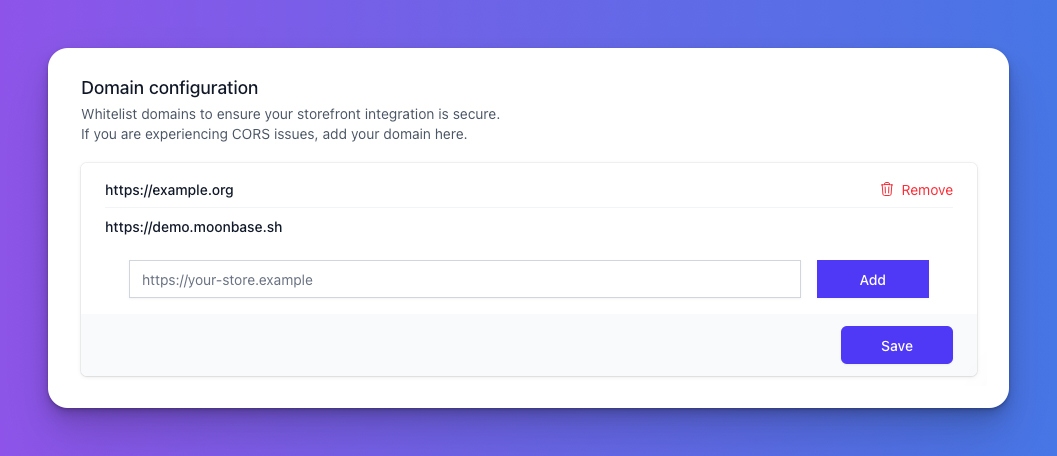
Type the full origin including the protocol (e.g. https://shop.example.com) into the input and click Add. Then click Save to commit the change. Updates take effect immediately.
You don't need to add subdomains separately if you only use the apex; you do need to add each subdomain you actually use — https://example.com doesn't cover https://shop.example.com. Be sure to also add the www. subdomain of your apex if you are using it.
Removing a domain
Click the trash icon next to a domain to remove it, then Save. Note: domains under .moonbase.sh (your hosted portal) are protected and cannot be removed — they're always whitelisted because Moonbase itself needs them.
Frequently Asked Questions
Can I use wildcards?
Can I use wildcards?
No, each origin must be listed explicitly. List staging, production, and any preview deployment URLs separately.
I added the domain but still get CORS errors.
I added the domain but still get CORS errors.
Double-check the protocol (http vs https) and that there is no trailing slash. The browser also caches preflight responses for a few minutes — hard-refresh after saving.
Was this helpful?
Still need help? Ask the team