Migrating to Moonbase
If you have an existing solution for selling your software, there are multiple ways to import your customer data into Moonbase to make sure you have a smooth transition
Written By Tobias Lønnerød Madsen
When existing businesses want to migrate to Moonbase, it’s often best to import existing customer data, so customers are able to log in and access their existing licenses, but also so you can take advantage of the unique pricing techniques Moonbase has to offer. Both targeted discounts and partial bundle purchases rely on Moonbase knowing what your customers already own, to unlock relevant upgrade-pricing.
When thinking about migrating data, there’s primarily three things we want to import:
Customers: The information on the customer accounts, so they can log in as before
Licenses: The actual licenses owned by customers, which also dictate product ownership
Trials: Less important, but nice if you want to use the built-in customer segmentation, or prevent duplicate trials based on device signatures after the migration
The different ways to import customer data
We generally see three approaches when business migrate to Moonbase:
If any of these seem challenging for your setup, we’d love to know! We offer some support for businesses migrating to Moonbase based on your size. Reach out to us at support@moonbase.sh.
Using our import tool
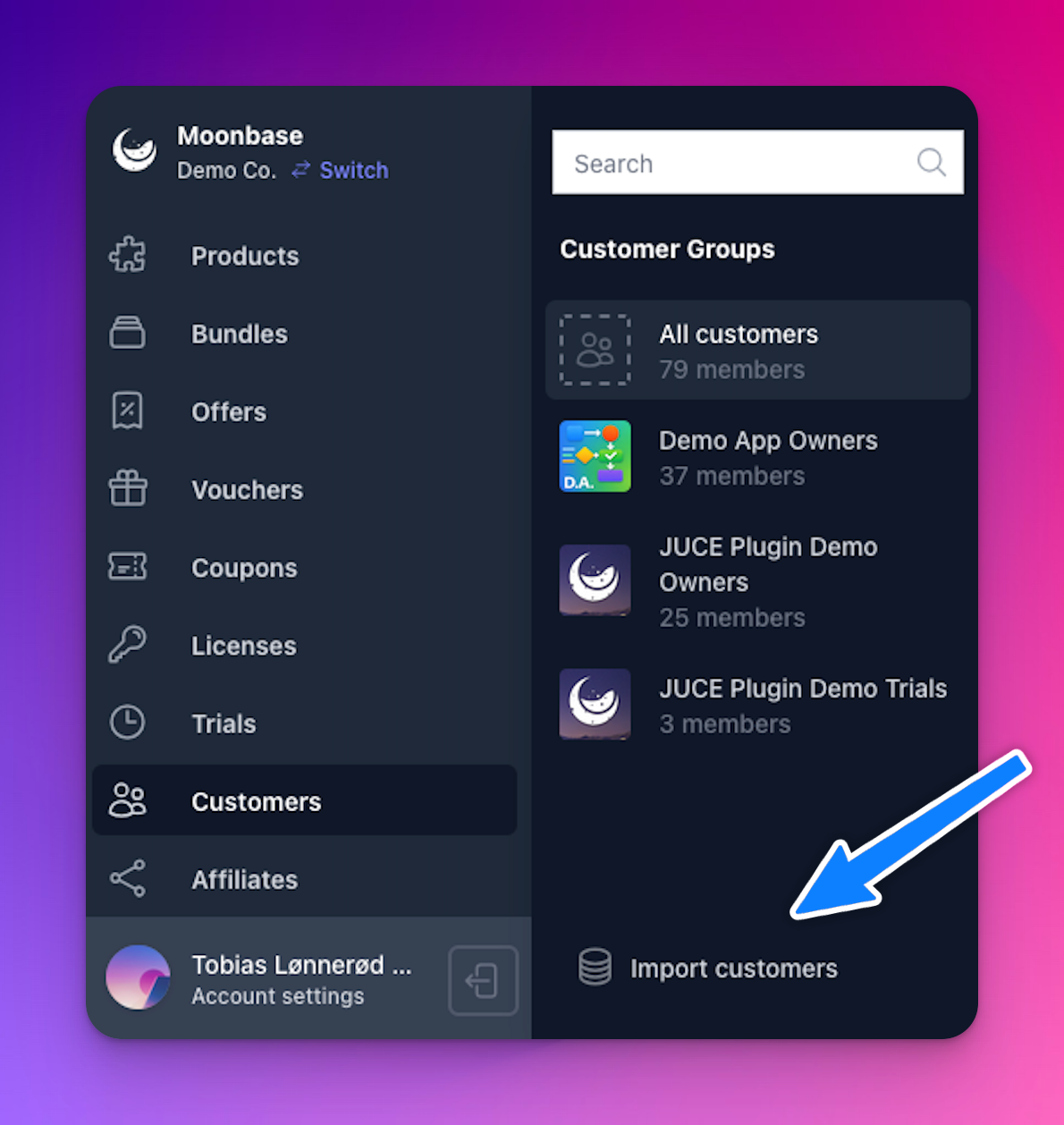
To make migrations as simple as possible, we offer built-in imports from CSV data sources in the Moonbase app. Simply head to the “Customers” or “Licenses” tab, and click “Import”:
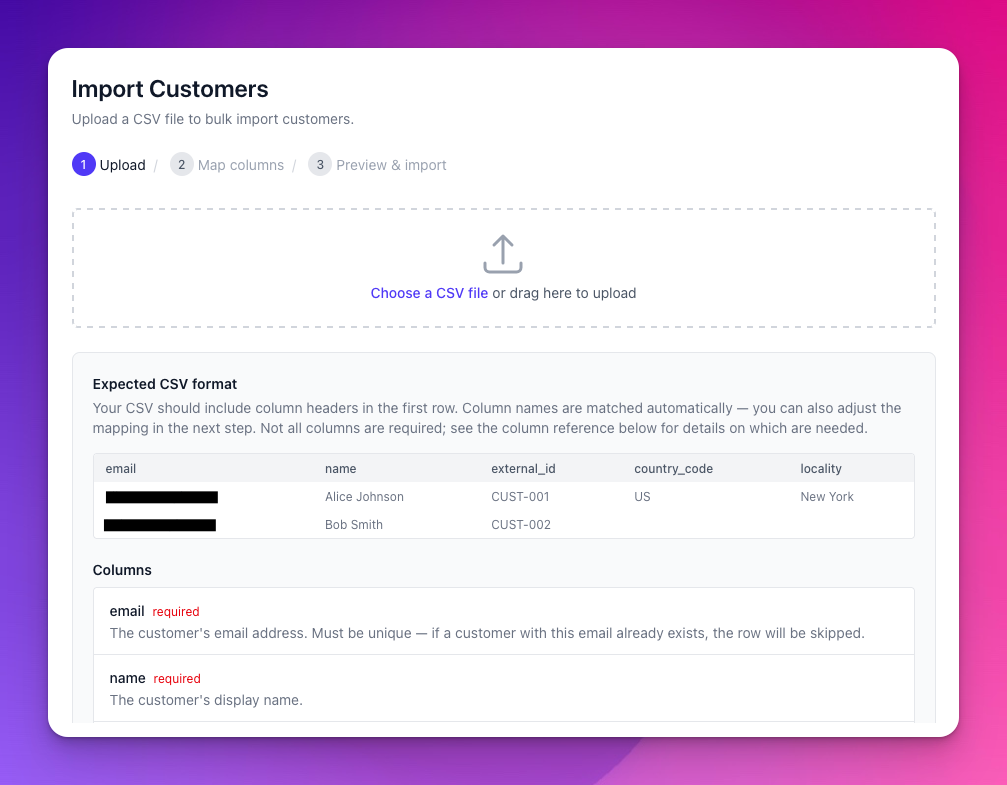
The first step of the import is to upload a CSV with the columns of data you want to import. We support different fields for customers and licenses, and only a few are required, the rest are all optional. You’ll see the expected format during this first step, and a list of all columns we support. If your column names don’t match exactly, that’s fine, you can adjust it on the next step:
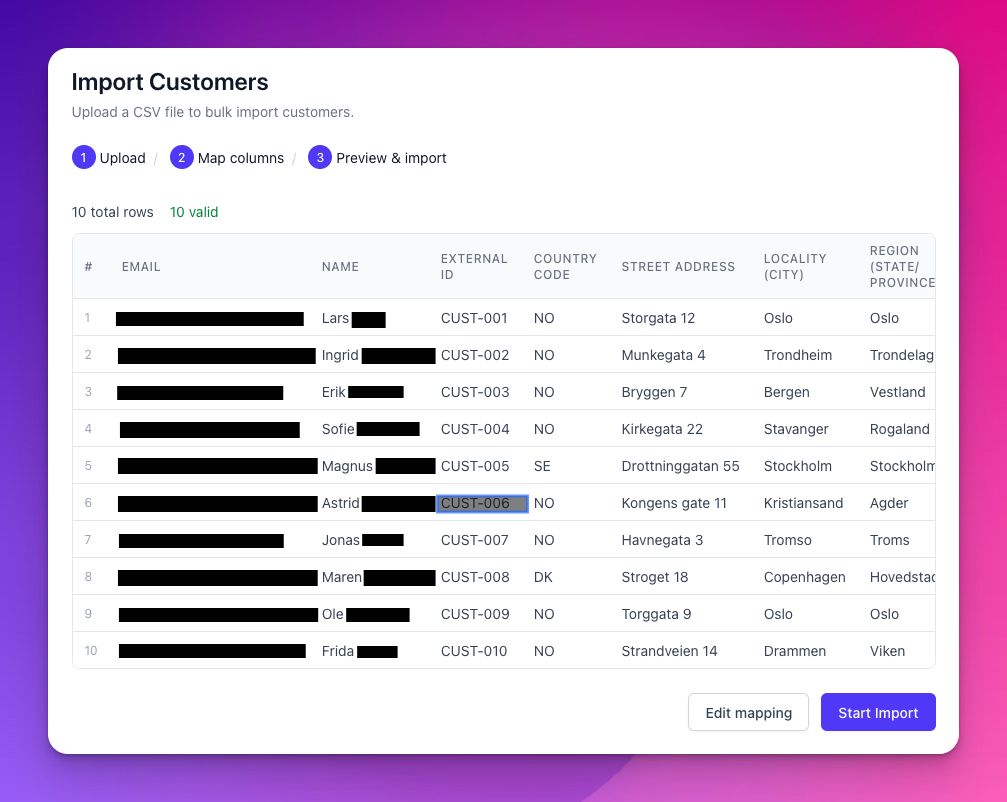
You’ll get to preview the mapped data before starting the import, and you’ll also get the chance to handle any potential validation issues:
Once an import is started, it will run until it’s done importing all data. No emails will be sent to customers through this import, even if they may now have accounts to log in to. You can navigate away from the progress page without disrupting the import process. Once done, you’ll get a full report of what was imported, and if there were any failures during the import:
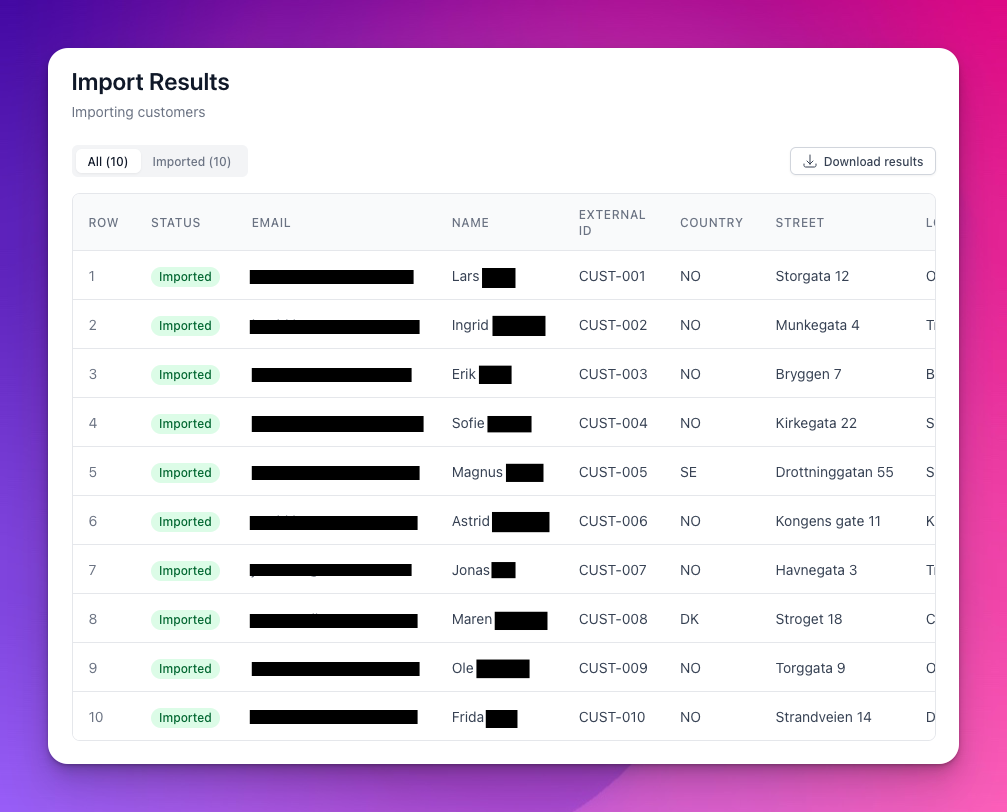
Customers can be re-imported without creating duplicate accounts, so you can iterate on your dataset to update or import missing customers. For licenses, you need to exclude any successfully imported licenses from future imports.
Using voucher codes for migrations
While not ideal for a seamless transition, using Vouchers to migrate your customers to your new Moonbase account is the easiest solution, and fine if you have limited access to data in your existing systems.
How this works is by creating a number of vouchers, and adding codes to these that can be communicated to customers. Often, we use their existing license key codes or order IDs, and communicate that. Customers can then redeem their existing codes on your new website setup, and immediate get the licenses they should have, after creating an account themselves.
This flow requires customer action, but can be done without any technical work.
Using import APIs
For the smoothest transition, we offer endpoints to import all the customer data you need:
Typically, you start importing your customers one by one, first importing the customer profile itself, then all associated licenses and optionally trials. The customer import endpoint gives you the necessary customer ID to use for other endpoints.
While we don’t have any batch endpoints for imports today, the single-import endpoints scale very well, to the point where you can parallelize it on your end, importing customers side-by-side. Keep data import per customer sequential to avoid any concurrency issues while importing. You may run up to 25 requests simultaneously.
Customer passwords
While you can import passwords for customers if you have them, it’s extremely rare that you have clear-text passwords for your users. To get around this, you have two options:
Communicate to customers that they need to reset their password
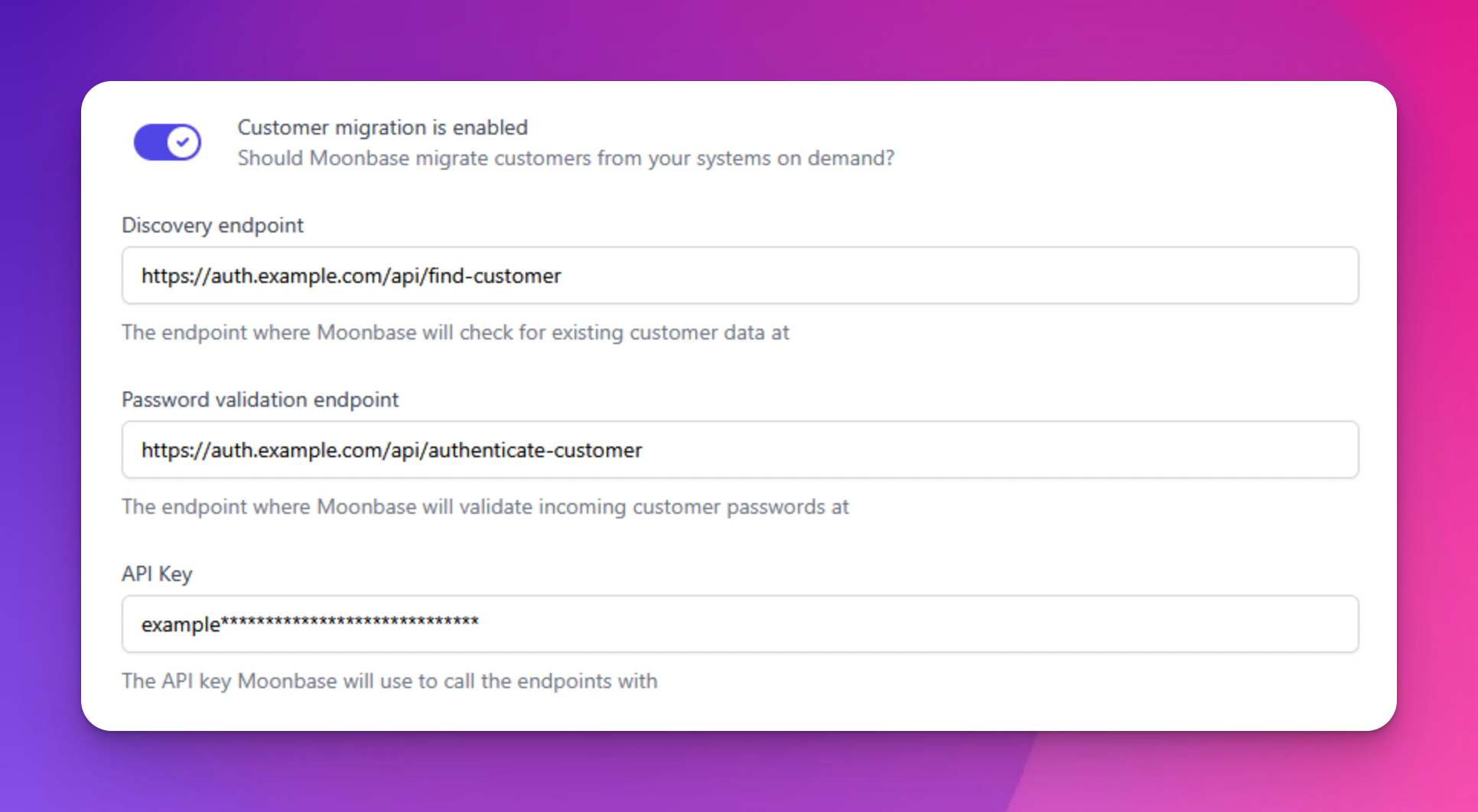
This utilizes the built-in “Forgot password” flow of the Moonbase authentication system on your website. You can optionally add a login hint mentioning this in the Embedded Storefront.Add a Customer Migration Configuration
This enables on-the-fly password migrations as customers log in for the first time.
On-the-fly customer & license data migration
This is an advanced feature, and not recommended unless you are well versed in hosting reliable APIs and integrating multiple systems.
As part of your Moonbase account settings, you may add a customer and license migration configuration to integrate with your existing systems. The goal of this is to seamlessly migrate customer accounts, passwords and licenses to Moonbase as they log in, sign up or use their existing apps. A requirement for this is that you build an API that Moonbase can call during authentication flows to discover and authenticate your existing customer accounts and licenses.
Learn more about these flows in our articles on Customer migration and License migration.
Still need help? Ask the team