Licensing SDKs and your implementation guide
Find the settings your app's licensing needs, get access to our older JUCE module, and test trials and licenses while you develop
Written By Tobias Lønnerød Madsen
Moonbase keeps track of your licenses on our servers, but your app still needs a little code to ask for a license and check it. Our SDKs are that code, ready-made, so your developer doesn't have to build activation, offline licenses and validation from scratch. This article covers your side, in Moonbase. Adding an SDK to your app is covered in our developer documentation.
Our SDKs
We have SDKs for JUCE, C++, .NET and Node.js, and the community maintains crates for Rust. The SDK documentation helps your developer pick one and walks through adding it. Building in something else? Your app can call the Licensing API directly.
Where to find your settings
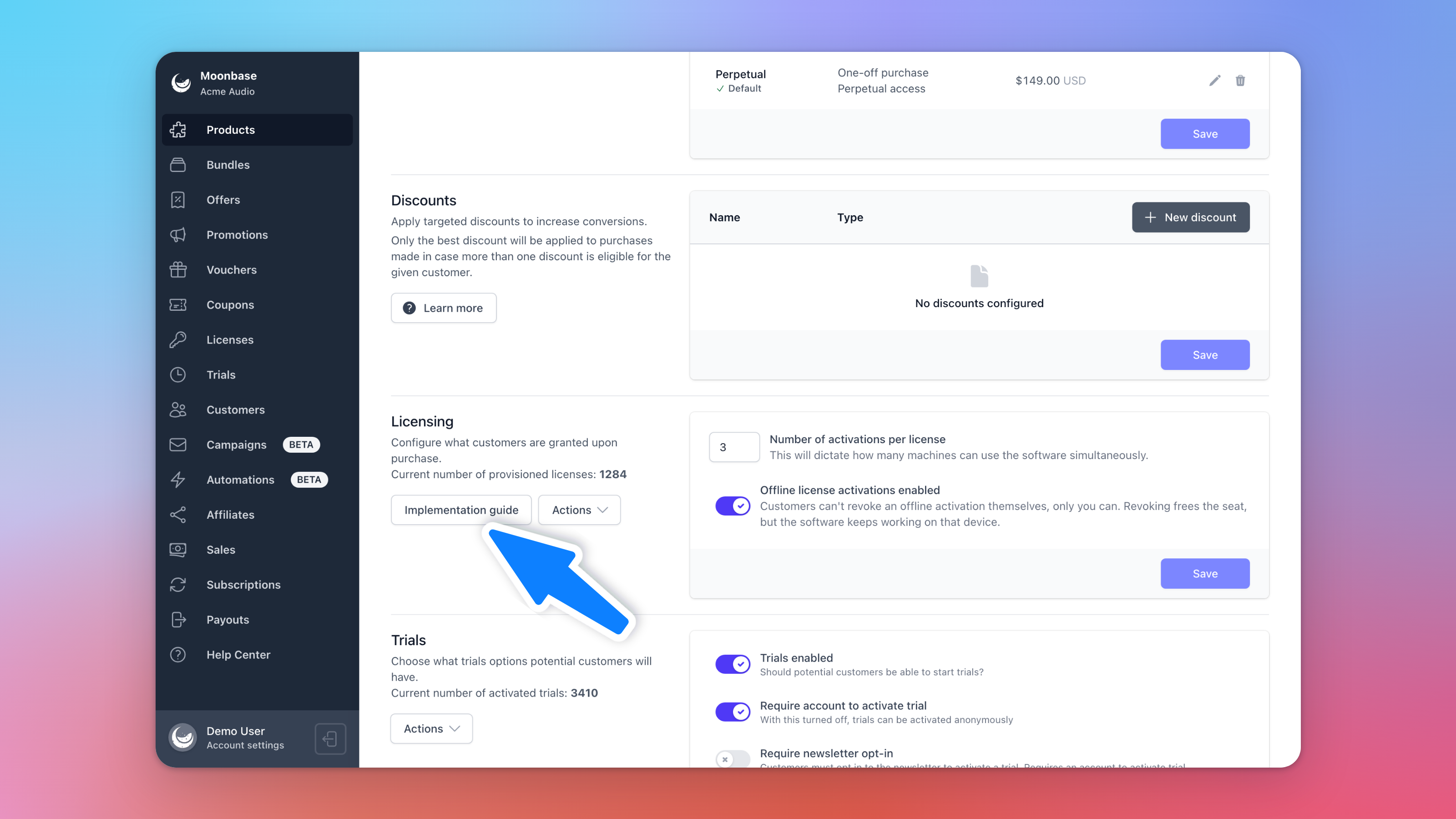
Every SDK needs three things from your account: its address (the endpoint), the product's ID and your public key, which your app uses to check that a license really came from Moonbase. You don't have to collect them yourself. Open the product, go to its Licensing section and click Implementation guide:
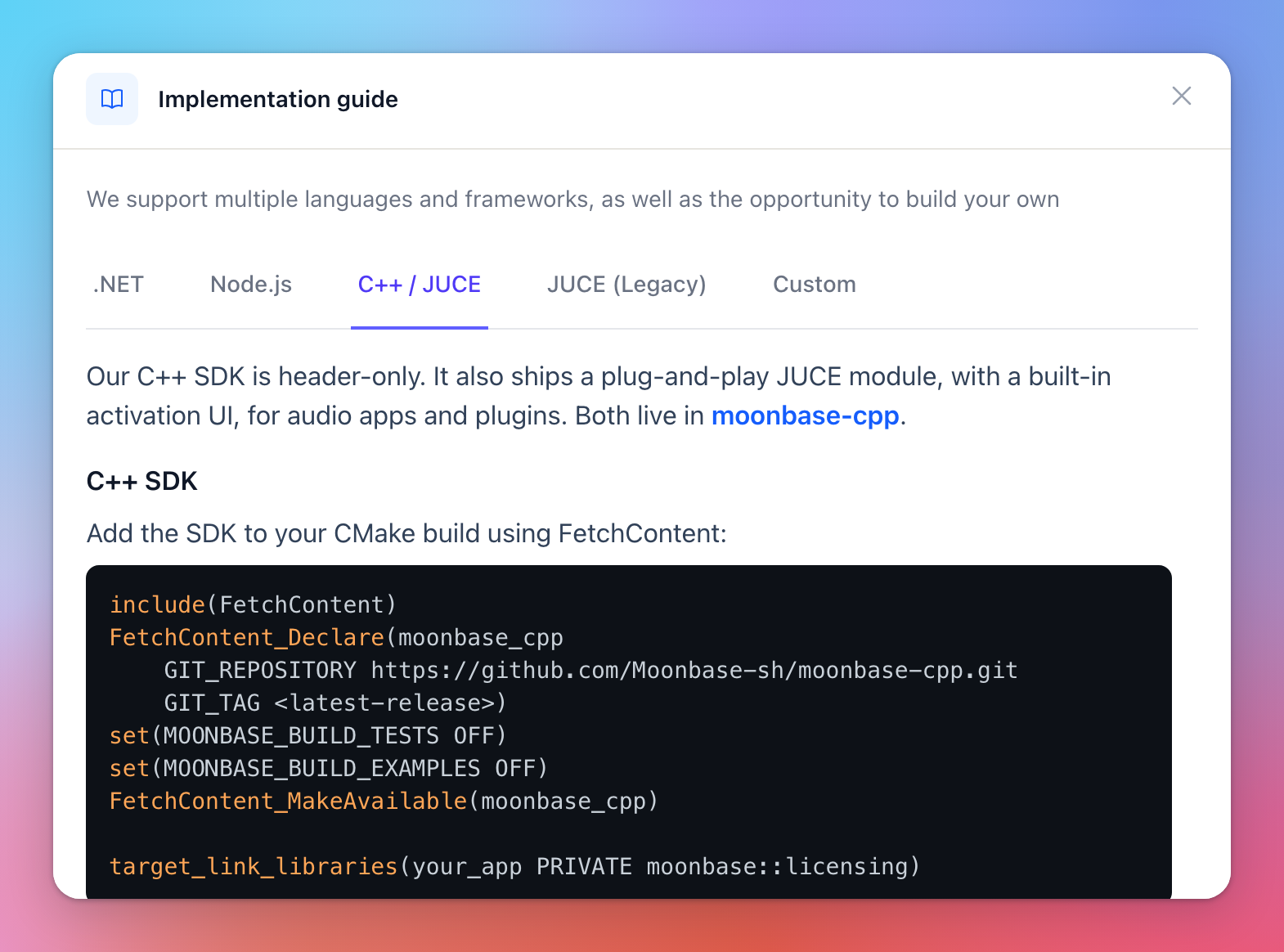
The guide has a tab for each SDK, with setup code ready to paste and your values already filled in: .NET, Node.js, C++ / JUCE and JUCE (Legacy). The Custom tab lists the values on their own, for an integration of your own:
Your public key is the same for every product in your account. You also find it, together with the endpoint and your account ID, under Account settings > Developer.
Getting the JUCE module
The current JUCE module, moonbase_licensing, is open source and free to use, so there is nothing to request: the JUCE module documentation shows how to add it. It is the module we recommend for new projects, and the one that gets new features.
Our older JUCE module, moonbase_JUCEClient (the JUCE (Legacy) tab), is still supported and still available, for apps that already ship with it or if you prefer it. Its source code is private and shared under your Moonbase service agreement, so access is given person by person:
Make sure you have a Moonbase account. An account that isn't live yet is fine.
Send us the GitHub usernames of the developers who need access, in the chat or at developers@moonbase.sh.
We add them to the repository, and GitHub emails each of them an invitation.
Working with a freelance developer? Send us their GitHub username too. Keep the code private: it is shared with you, not published.
Testing trials and expiry while you develop
Each computer only gets one trial per product, so after the first test on your own machine you can't start a fresh one. You don't have to: find your trial under Trials in the sidebar, and use its Actions:
Expire ends it now, so you can see what your app does when a trial runs out.
Extend starts it over with the product's current trial length, even after it has expired.
Your app picks up the change the next time it checks in. To test a paid license, create one for yourself with Create license on the Licenses page, then revoke a computer or the whole license from its page to see how your app handles it. Until your account is live, test purchases also deliver real licenses, without a real payment.
Frequently asked questions
Can Moonbase do the integration for us?
We don't build integrations ourselves, but we're happy to answer your developer's questions, and we can suggest freelance developers who have integrated Moonbase before.
Where do I report a problem with an SDK?
Open an issue in the SDK's GitHub repository with as much detail as you can, or write to us in the chat.
Can my own server check a customer's license?
Yes. Your app can send its license token to your server, which checks it with your public key. See Authenticate storefront customers on your own API.
What does a license look like to my app?
See Licensing Overview for what a license is, how seats work and what your app receives.
Was this helpful?
Still need help? Ask the team