Klaviyo
Synchronize subscribers and marketing consent, track customer events, and sync your product catalog from Moonbase to Klaviyo
Written By Tobias Lønnerød Madsen
There are a few good reasons why you might want to connect Moonbase with your Klaviyo account for improved marketing campaigns:
To synchronize new subscribers coming in through Moonbase
To keep marketing consent in sync both ways, so opt-outs are always respected
To track customer events like orders, subscriptions and downloads, for automated flows
To sync your product catalog so you can feature your products in emails
Our Klaviyo integration is built to do all of this, and once activated it starts synchronizing your customers and their subscription status into your Klaviyo account.
Getting started
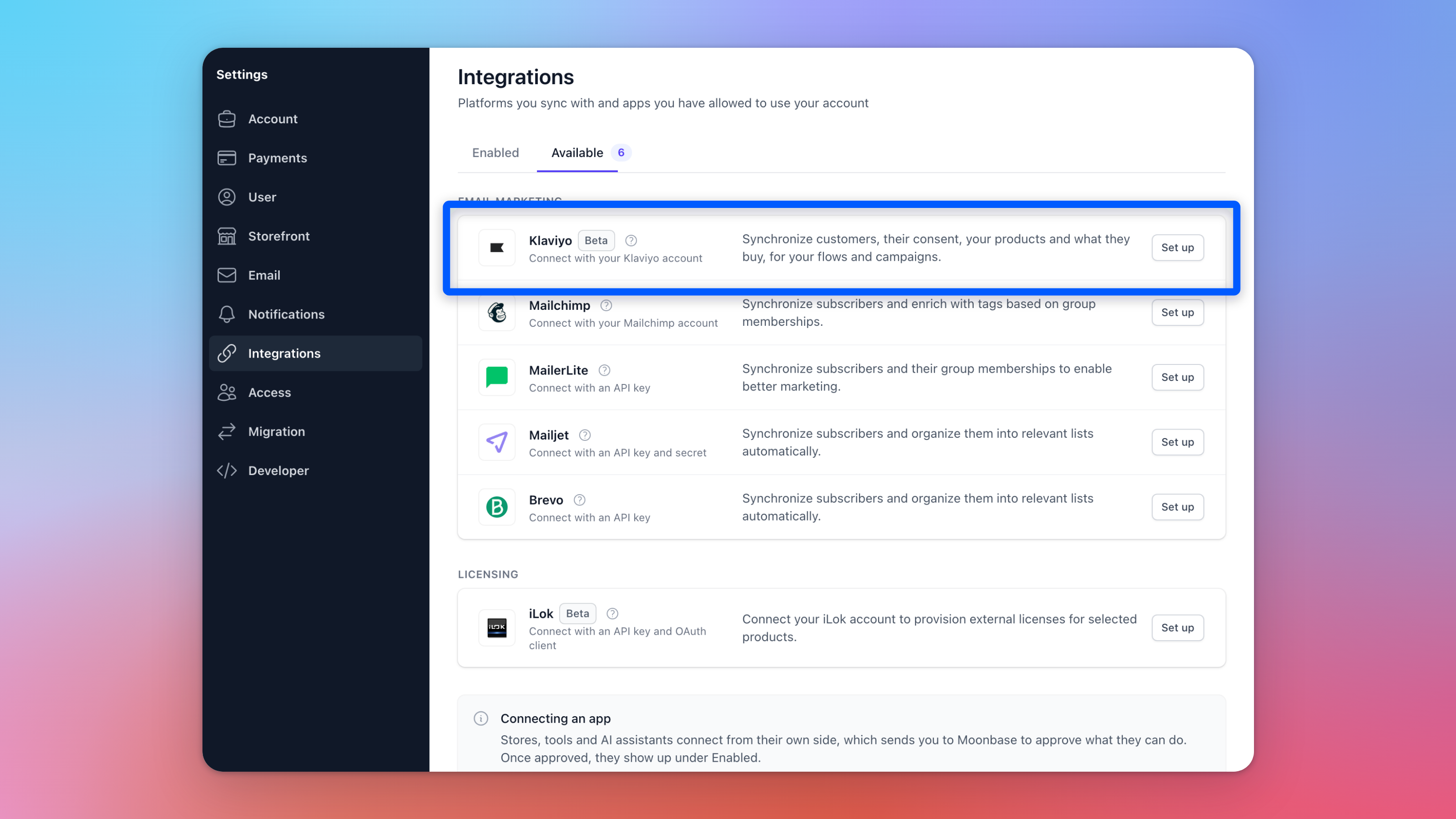
This integration is built as an app you connect through Klaviyo's secure authorization flow, so there are no API keys to copy. Get started in Account settings > Integrations: open the Available tab and click Set up next to Klaviyo:
A Klaviyo page will open where you can log in and authorize Moonbase to keep your profiles, events and catalog up to date:
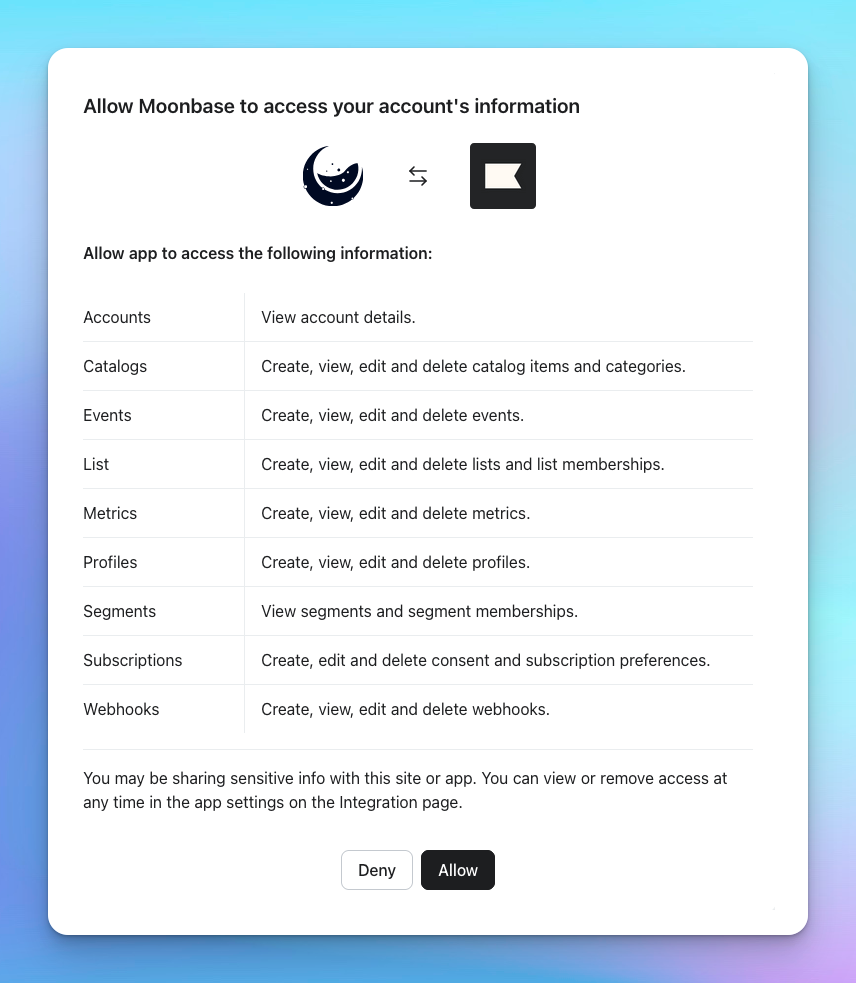
Once you approve, you'll be returned to Moonbase and the integration becomes active.
If Moonbase ever asks you to authorize again, use https://app.moonbase.sh/integrations/klaviyo-authenticate.
Customer profiles
Once enabled, it syncs every Moonbase customer with an email as a Klaviyo profile, with their name, email, phone, address, business name, opt-ins and custom properties.
This includes all customers, regardless of if they have opted in to receive marketing emails or not; consent is synced separately. Customers will also have their actions synced, both historical and future events.
Marketing consent stays in sync both ways
Marketing consent is kept in sync in both directions. If a customer unsubscribes (or re-subscribes) in Klaviyo, that change flows back to Moonbase; if it changes in Moonbase, it is pushed to Klaviyo. The most recent change always wins, so opt-outs are respected no matter where they happen. Moonbase sets up everything needed for this automatically when you connect.
A new opt-in in Moonbase arrives in Klaviyo as a new subscriber within seconds, so it follows your Klaviyo double opt-in setting and can start flows. Customers who opted in before you connected, and imported customers, arrive already subscribed and don't start flows.
Customer events for automated flows
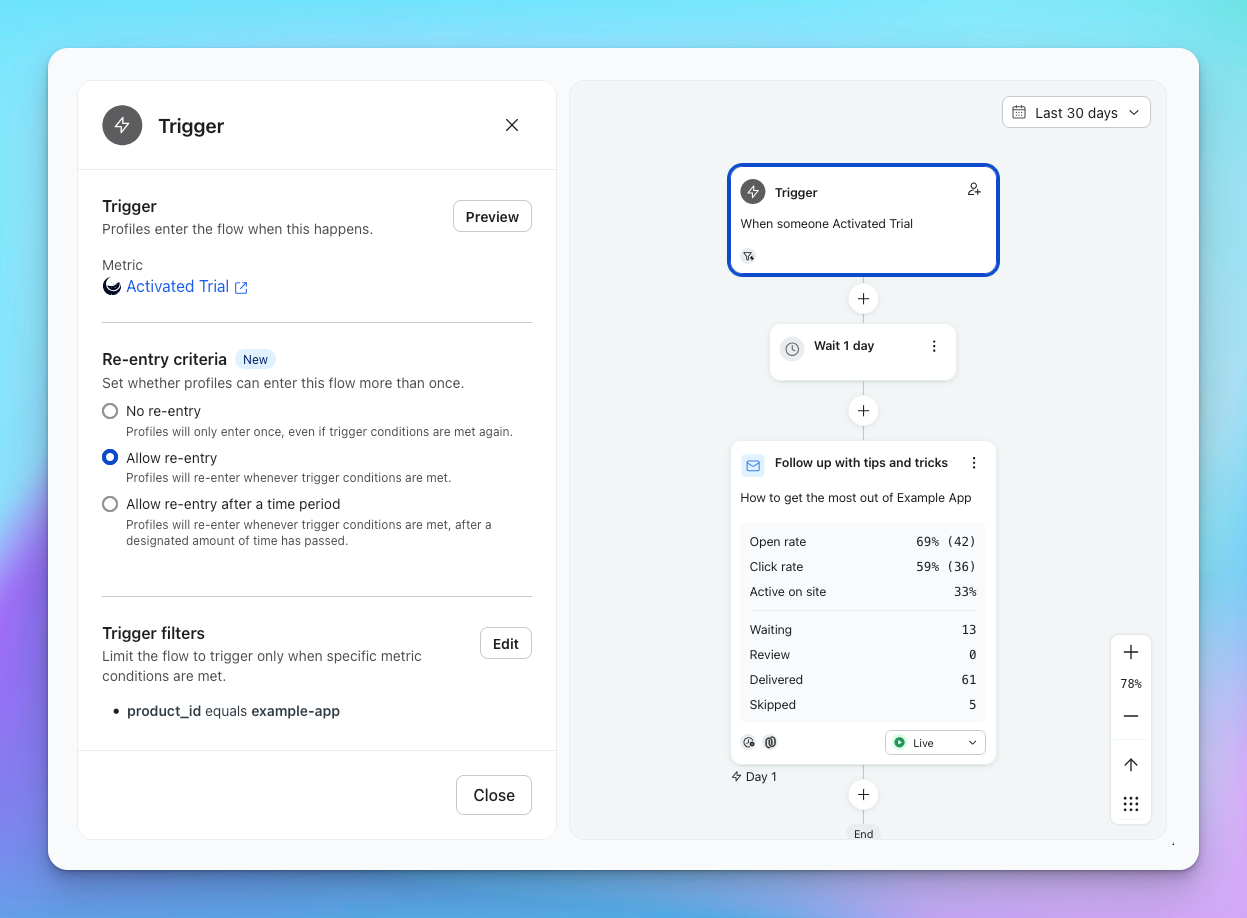
Moonbase tracks key customer events as Klaviyo metrics, so you can trigger automated flows from them, for example a post-purchase sequence, a win-back for a cancelled subscription, or a follow-up after a download. Synchronized events include:
Started Checkout, with a link back into that order's checkout for an abandoned-cart flow's button
Placed Order, Ordered Product (one per line) and Refunded Order
Started, Renewed, Cancelled, Expired and Completed Subscription
Activated License and Downloaded Product
Activated Trial and Redeemed Voucher
With these, you can create flows in Klaviyo based on the many events:
Product catalog
Your Moonbase products are synced to your Klaviyo catalog, so you can feature them directly in your emails and flows and keep their details up to date automatically.
Currencies
For any events that carry pricing and sums, Moonbase will convert all currencies to your default currency. This way, you can accurately calculate customer lifetime value and similar insights across purchases that may have a number of different currencies from all over the world.
Historical data from day one
When you first connect, Moonbase backfills your past orders, subscriptions, licenses, downloads, trials and vouchers, so your segments and flows have history to work with right away. Backfilled events won't re-trigger your live flows.
Track website events
The Klaviyo integration found in Moonbase will sync all “server” events, happening on the backend in response to user flows. This does not include client-side events like authentication, product browsing and cart manipulation. To track those, enable the Klaviyo integration in the Embedded Storefront to enrich your client-side analytics. Read more about this in our documentation on forwarding events to analytics.
Importing your Klaviyo subscribers
If you send campaigns from Moonbase, you can bring your Klaviyo email subscribers in: open Klaviyo under Account settings > Integrations, go to its Settings tab, turn on Import Klaviyo subscribers as contacts under Import contacts and click Save. Everyone subscribed to your email marketing in Klaviyo is added as a guest, with nothing sent to them, and new subscribers follow within seconds. Profiles that never subscribed, such as shoppers synced from a store, aren't imported. See Import newsletter subscribers.
Was this helpful?
Still need help? Ask the team